
Digital Creativity for Kids: From Screens to Studios
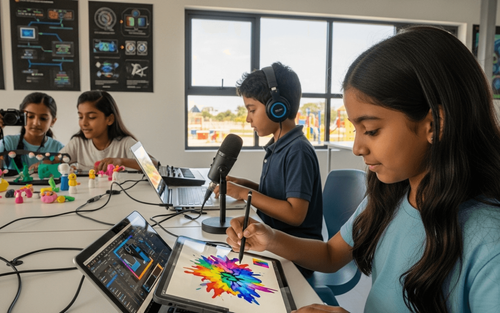

Table of Contents
- Ways Kids Can Express Creativity Through Technology
- Why Technology and Creativity Belong Together
- Best Tools and Platforms by Creative Medium
- Age-Appropriate Creative Tech Activities
- Balancing Digital and Traditional Creativity
- How Parents Can Support Digital Creative Expression
- How PlanetSpark Nurtures Creative Expression
Your child sits at the table,
tablet in hand.
You assume they are watching videos or playing games.
Then they turn the screen around.
"Look what I made!"
It's a digital animation. A short film. An original song. A coded game. A graphic novel.
Suddenly, that screen is not just consuming content; it's creating it.
Here's what many parents don't realise: technology is not just for entertainment. It's one of the most powerful creative tools ever invented.
The same device that plays endless videos can also:
- Record and edit films
- Compose original music
- Design digital art
- Write and publish stories
- Code interactive games
- Build 3D models
- Create animations
The difference? How we teach kids to use it.
Technology can be a passive consumption machine or a creative expression powerhouse. The choice is yours.
This guide shows you how to shift your child from consumer to creator, with specific tools, activities, and approaches that unlock technology's creative potential.
Let's turn screens into studios, shall we?
Ways Kids Can Express Creativity Through Technology
Let's explore the major creative outlets technology enables.
1. Digital Art and Illustration
What it includes:
- Drawing and painting on tablets
- Graphic design
- Photo editing and manipulation
- Digital collages
Why kids love it: The undo button removes the fear of mistakes. Infinite colors. Easy to experiment.
Skills developed: Visual design, color theory, composition, digital literacy
Tools:
- Procreate (iPad, $13) - Professional-level digital art
- Adobe Fresco (Free tier available) - Drawing and painting
- Canva (Free) - Graphic design for kids
- Autodesk SketchBook (Free) - Intuitive drawing app
Example activity: Design a book cover for your favorite story.
2. Animation and Motion Graphics
What it includes:
- Stop-motion animation
- 2D character animation
- GIF creation
- Simple video effects
Why kids love it: Bringing drawings to life feels magical. Immediate visual payoff.
Skills developed: Storytelling, sequencing, patience, frame-by-frame thinking
Tools:
- FlipaClip (Free) - Frame-by-frame animation
- Stop Motion Studio (Free/$5 pro) - Stop-motion creation
- Animaker (Free tier) - Animated video creation
- Toontastic (Free) - Story-based animation for younger kids
Example activity: Create a 30-second animated story about your pet.
3. Music Creation and Production
What it includes:
- Composing original songs
- Remixing existing tracks
- Creating beats and loops
- Recording vocals or instruments
Why kids love it: No expensive instruments needed. Experimentation is easy.
Skills developed: Rhythm, melody, audio editing, and composition
Tools:
- GarageBand (Free on Apple) - Full music production
- BandLab (Free) - Collaborative music creation
- Incredibox (Free/paid versions) - Beat-making for kids
- Chrome Music Lab (Free, browser-based) - Music experiments
Example activity: Create a 1-minute theme song for your favorite superhero.
4. Video Creation and Editing
What it includes:
- Short films
- Vlogs and documentaries
- YouTube-style content
- Movie trailers
Why kids love it: They consume video constantly, which makes it feel empowering.
Skills developed: Storytelling, camera work, editing, sequencing, communication
Tools:
- iMovie (Free on Apple) - Simple video editing
- CapCut (Free) - Popular with teens, user-friendly
- Adobe Premiere Rush (Free tier) - Simplified professional editing
- WeVideo (Free tier) - Cloud-based editing
Example activity: Film and edit a 2-minute documentary about something you love.
5. Coding and Game Design
What it includes:
- Creating interactive games
- Building apps
- Designing websites
- Programming animations
Why kids love it: Building something that WORKS, that others can play with, is thrilling.
Skills developed: Logic, problem-solving, debugging, computational thinking
Tools:
- Scratch (Free) - Visual coding for beginners
- Roblox Studio (Free) - Game creation platform
- Unity (Free for beginners) - Professional game engine
- Thunkable (Free tier) - App building without code
Example activity: Code a simple maze game where players navigate to a goal.
6. Digital Writing and Storytelling
What it includes:
- Creative writing
- Digital journals
- Interactive stories
- Blogging
Why kids love it: Easy editing. Can include multimedia (images, videos, audio).
Skills developed: Writing, editing, narrative structure, communication
Tools:
- Storybird (Free tier) - Visual storytelling
- Book Creator (Free tier) - Multimedia book creation
- Wattpad (Free) - Publishing platform for young writers
- Google Docs (Free) - Collaborative writing
Example activity: Write and illustrate a 5-page digital picture book.
7. Photography and Photo Editing
What it includes:
- Creative photography
- Photo manipulation
- Filters and effects
- Photo essays
Why kids love it: Instant results. Experimenting is risk-free.
Skills developed: Visual literacy, composition, editing, storytelling through images
Tools:
- Snapseed (Free) - Powerful photo editing
- VSCO (Free/paid features) - Filters and editing
- Adobe Lightroom Mobile (Free tier) - Professional editing
- Pixlr (Free) - Advanced editing tools
Example activity: Create a photo essay (6-8 photos) telling a story without words.
8. 3D Modeling and Design
What it includes:
- Building 3D objects
- Designing characters or environments
- Architectural models
Why kids love it: Creating in three dimensions feels futuristic and powerful.
Skills developed: Spatial reasoning, design thinking, problem-solving
Tools:
- Tinkercad (Free) - Beginner-friendly 3D design
- SketchUp Free (Free) - 3D modeling
- Blender (Free, advanced) - Professional 3D creation
- Minecraft (Paid) - Block-based 3D building
Example activity: Design your dream treehouse in 3D.
Why Technology and Creativity Belong Together
Technology Removes Creative Barriers
Traditional barriers:
- Can't draw? Digital tools offer undo buttons and tutorials.
- Can't afford instruments? Music apps are free.
- No video equipment? Your phone is a film studio.
- No art supplies? Digital canvas never runs out.
Technology democratizes creativity. Anyone with a device can create.
It Offers Instant Feedback
Physical art requires waiting (paint to dry, clay to bake). Digital creation offers immediate results.
Example:
Code a game → test it instantly.
Draw digitally → see changes in real-time.
This instant feedback loop accelerates learning and experimentation.
It Enables Collaboration
Kids can create WITH friends across distances. Shared documents. Collaborative coding. Group music projects. Technology makes creativity social.
It Teaches Technical Skills While Building Creative Ones
Digital art teaches design software. Music production teaches audio editing. Animation teaches storytelling AND technical execution. Kids build TWO skill sets simultaneously: creative AND technical.
It Preserves and Shares Work Easily
Physical art can get lost, damaged, or thrown away. Digital work is saved, duplicated, and shared globally. Kids' creative work reaches wider audiences, building confidence and motivation.
Best Tools and Platforms by Creative Medium
Here's a quick reference guide.
Age-Appropriate Creative Tech Activities
Ages 5-7 (Early Elementary)
Focus: Exploration and play
Activities:
- Drawing with simple art apps
- Stop-motion with toys
- Creating stories with Toontastic
- Simple music creation (Chrome Music Lab)
Tools: Toontastic, Toca Builders, Drawing Pad, Incredibox
Ages 8-10 (Upper Elementary)
Focus: Skill-building and experimentation
Activities:
- Digital art with layers and effects
- Basic animation (frame-by-frame)
- Recording and editing short videos
- Block-based coding (Scratch)
- Writing illustrated stories
Tools: Scratch, Book Creator, Stop Motion Studio, GarageBand
Ages 11-13 (Middle School)
Focus: Developing style and voice
Activities:
- Complex animations
- Music production with multiple tracks
- YouTube-style video creation
- Game design
- Photography and editing
- Blogging or creative writing
Tools: FlipaClip, BandLab, CapCut, Roblox Studio, Canva
Ages 14+ (High School)
Focus: Mastery and portfolio-building
Activities:
- Professional-level digital art
- Short films or documentaries
- Music albums or EPs
- Complex games or apps
- 3D modeling and animation
- Creative portfolios for college
Tools: Procreate, Adobe Creative Suite, Unity, Blender, Final Cut Pro
Balancing Digital and Traditional Creativity
Technology is powerful, but it shouldn't replace traditional creative outlets entirely.
The Best Approach: Hybrid Creativity
Combine both:
- Sketch on paper → digitize and color on tablet
- Write story by hand → type and illustrate digitally
- Build physical model → photograph and edit
- Compose melody on piano → produce full track digitally
Why it works: Physical creation develops fine motor skills and spatial reasoning. Digital creation offers flexibility and reach.
When to Choose Each
Choose traditional when:
- Developing fine motor skills (painting, sculpting, handwriting)
- Sensory experience matters (texture, smell, physical manipulation)
- Screen-free time is needed
Choose digital when:
- Experimentation without waste
- Collaboration across distances
- Professional-level results
- Sharing work widely
The 60/40 Rule
60% traditional creativity (drawing, building, playing music, writing by hand) 40% digital creativity (apps, software, digital tools)
This ensures kids develop both skill sets without over-relying on either.
How Parents Can Support Digital Creative Expression
Provide Tools and Access
You don't need expensive equipment. Start with:
- A tablet or computer
- Free apps and software
- Basic accessories (stylus, microphone) as interest grows
Create a Creative Space
Designate a spot where kids can create without interruption.
Include:
- Device with creative apps
- Headphones (for music/video work)
- Lighting (for photography/video)
- Notebook for planning ideas
Celebrate Process, Not Just Product
Instead of: Show me the finished animation.
Try: Tell me about what you're learning while making this.
Why: The creative process builds skills. Finished products are bonuses.
Share Their Work (With Permission)
Ask: Would you like me to share this with Grandma? Post it on our fridge?
Why: Audience motivates creators. Knowing someone will see it raises the stakes (in a good way).
Limit Creative Screen Time Separately
Not all screen time is equal.
Creating ≠ Consuming
Consider: 2 hours of creating is healthier than 30 minutes of passive scrolling.
Set separate limits: You can watch videos for 1 hour, but creative time is unlimited.
Learn Alongside Them
Try: I've never used this app. Can you teach me?
Why: Shared learning builds connection. Kids love teaching adults.
Connect Digital Skills to Real Opportunities
Show them:
- Graphic designers create movie posters
- Musicians produce songs digitally
- Filmmakers edit on computers
- Game designers code for a living
Why: Knowing these skills have real-world value motivates continued practice.
How PlanetSpark Nurtures Creative Expression
Technology enables creation. But creation without communication is incomplete.
What Technology Can't Teach Alone
- Presenting your work confidently
- Explaining your creative process
- Receiving and giving feedback constructively
- Collaborating verbally in real-time
This is where PlanetSpark excels.
We Combine Creativity with Communication
At PlanetSpark, kids don't just create; they COMMUNICATE their creations.
Students:
- Present their stories aloud
- Explain their projects to peers
- Debate creative choices
- Collaborate on group creations
- Build storytelling skills that enhance all creative work
Creative Expression + Confident Communication = Powerful Skill Set
A child creates an amazing animated story on their tablet. Great!
Now imagine the same child presents their animation to an audience, explaining their inspiration, process, and message confidently, clearly, and engagingly.
That's next-level creativity.
Technology gets a bad reputation.
Too much screen time. Too much distraction. Too much consumption.
But here's what's also true:
Technology is the most accessible, powerful creative toolkit kids have ever had.
It removes barriers. It enables experimentation. It connects creators globally. It teaches technical and creative skills simultaneously.
The key is not removing technology from kids' lives. It's teaching them to USE it creatively.
- Replace mindless scrolling with purposeful creating.
- Replace passive watching with active making.
- Replace consuming with expressing.
Every child has something to say, share, and create.
Technology gives them infinite ways to say it through art, music, video, code, stories, and more.
Start today. Pick ONE creative tool from this guide. Introduce it to your child. See what they make.
You might be surprised by what's been waiting inside them, ready to be expressed, shared, and celebrated.
Because creativity is not about having talent.
It's about having tools, time, and permission to create.
Give your child all three, including PlanetSpark. And watch what happens.
If you are a curious head, you may benefit from the suggested articles:
Impact of Technology on Children: Present and Future
How Digital Storytelling Helps Children Communicate Better Online
10 Fun Activities in PlanetSpark’s Creativity Master Course
Frequently Asked Questions
Passive consumption (watching videos, scrolling) is different from active creation (designing, coding, producing). Creative screen time engages problem-solving, builds skills, and produces original work, making it far more valuable.
Creative expression isn't limited to art and music. Try coding, video creation, photography, writing, or game design. Every child has a creative outlet; help them find theirs.
No. Most creative tools work on standard tablets or computers. Many powerful apps are free or under $10. Start with what you have.
Creative screen time can be more flexible than entertainment screen time. Ages 8-12: 1-2 hours daily is reasonable. Balance with offline activities.
Balance both. Offer prompts and teach tools initially, then step back and let them explore. Intervene only if they're stuck or ask for help.
No. It should complement, not replace. Traditional art develops fine motor skills, sensory awareness, and spatial reasoning. Best approach: combine both.
That's normal. Creative exploration matters more than completion. But if it's a pattern, set smaller, achievable project goals: Finish a 30-second animation instead of making a full movie.
Ask them to explain what they're making and why. True creativity involves intention, choice, and expression, not random tapping or passive interaction.