
How to Help Kids Stay Safe on Social Media Alternatives Guide
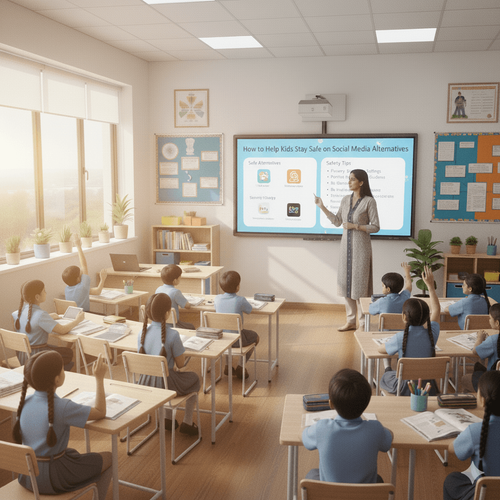

Table of Contents
- Understanding the Need: Why Social Media Alternatives Requir
- Why Kids Turn to Social Media Alternatives
- How to Recognise Which Platforms Are Truly Kid-Safe
- Top Risks Kids Face on Social Media Alternatives
- How to Help Kids Stay Safe on Social Media Alternatives: The
- PlanetSpark Personality Development Course: The Most Effecti
- Empower Your Child with Digital Confidence & Safety
In today’s hyper-connected digital world, children are exploring the internet earlier than ever,far beyond the well-known apps adults are familiar with. Even when parents restrict mainstream platforms like Instagram, Snapchat, or TikTok, kids quickly turn to social media alternatives, gaming communities, niche creative apps, or kid-focused platforms to interact, learn, and express themselves.
This blog provides a complete, practical guide on How to Help Kids Stay Safe on Social Media Alternatives, covering everything from hidden risks in lesser-known platforms to how parents can evaluate safety features, set digital boundaries, and teach children responsible online behaviour.
You’ll discover safe platform options, expert-recommended digital parenting strategies, emotional intelligence tools, and effective communication practices that help children become confident and secure digital citizens.
From mindful monitoring to teaching digital etiquette, this guide equips every modern parent with the clarity and tools needed to keep kids protected in an evolving online world.
Understanding the Need: Why Social Media Alternatives Require Equal Attention
Even if children are restricted from popular apps like Instagram or Snapchat, they often discover new-age alternatives,platforms designed for younger audiences or emerging communities. Many parents assume these alternatives are inherently safe, but that’s not entirely true.
To truly understand How to Help Kids Stay Safe on Social Media Alternatives, we need to explore why kids use them and what makes these platforms attractive.
Why Kids Turn to Social Media Alternatives
Kids today are curious explorers. They don’t want to feel left out when their peers connect online. They look for:
Spaces to share creativity
Options to message or collaborate with friends
Gaming communities with built-in chat
Video-sharing platforms
Niche apps designed for hobbies like art, coding, or storytelling
While some alternatives are safer, none are risk-free. Predators, cyberbullying, misinformation, and screen addiction can affect kids anywhere.
How to Recognise Which Platforms Are Truly Kid-Safe
Before allowing children to join a new alternative platform, parents should evaluate:
1. Does the platform offer parental controls?
Check for features that allow blocking, monitoring, and time restrictions.
2. Is the content moderated?
Look for AI moderation, human reviewers, or strict posting guidelines.
3. Does the app have an age-verification process?
Platforms with weak verification often attract older strangers.
4. Are communication tools restricted?
Safer alternatives limit direct messaging or make it optional.
5. What do other parents say?
Parent reviews often reveal hidden risks such as explicit content or poor reporting features.
Top Risks Kids Face on Social Media Alternatives
Even apps marketed as “kid-friendly” may expose children to dangers. Understanding these threats helps parents fulfil the core search intent: learning How to Help Kids Stay Safe on Social Media Alternatives.
1. Cyberbullying and Peer Pressure
Children may face mockery, exclusion, or rumours,even on seemingly innocent forums or gaming groups.
2. Exposure to Inappropriate Content
Video-sharing apps that lack strict moderation may show offensive content, violent visuals, or misinformation.
3. Predators on ‘Child-Friendly’ Platforms
Predators often choose lesser-known apps because parents monitor them less.
4. Addiction to Short-Form Content
Fast-scroll videos and gamified interactions can lead to lack of focus and disrupted sleep.
5. Sharing Personal Information Unknowingly
Kids might share:
Their age
School name
Photos with location
Phone numbers
Personal routines
Teaching children digital boundaries becomes essential.
How to Help Kids Stay Safe on Social Media Alternatives: The Complete Parent Strategy
This is the core section of the blog. Below is a detailed, step-by-step approach designed for parents searching for How to Help Kids Stay Safe on Social Media Alternatives and wanting practical, reliable, and child-friendly solutions.
Build Foundational Digital Awareness
Children must understand the digital world before stepping into it.
Teach Kids the Rules of Online Safety
Explain concepts like:
Stranger danger
Knowing what not to share
Respectful communication
Leaving a digital footprint
Identifying suspicious profiles
Discuss Real-Life Scenarios
Ask questions like:
“What would you do if someone asks for your photo?”
“What if a friend pressures you to join a new app?”
Scenario-based conversations prepare kids better than simple instructions.
Evaluate Platforms Before Approval
Before allowing kids to use any alternative platform, parents should conduct quick checks.
Read Terms & Privacy Policies Together
Kids should understand:
What the platform collects
Whether data is shared
How content is moderated
Set Platform-Specific Boundaries
These can include:
Allowed time-per-day
Who they can follow
When they should report issues
Enable All Parental Controls
Every alternative platform offers some level of safety settings.
Restrict Direct Messaging
Turn off chat unless necessary.
Limit Discoverability
Disable “suggest your profile to others” or similar options.
Set Content Filters
Use keyword blockers or “safe mode”.
Encourage Mindful Device Usage
Managing screen-time is crucial for digital wellness.
Use Screen-Time Management Tools
Apps such as Google Family Link or Apple Screen Time help monitor usage patterns.
Promote Offline Activities
Encourage alternatives like:
Reading
Art
Outdoor play
Family interactions
Teach Emotional Intelligence for Safer Digital Interactions
A major aspect of How to Help Kids Stay Safe on Social Media Alternatives is emotional maturity.
Kids Should Recognise Emotional Manipulation
Teach them to identify:
Excessive flattery
Pressure tactics
Threats
Emotional blackmail
Build Assertive Communication Skills
Kids should confidently say “No”, “Stop”, or “I’m not comfortable with this”
Stay Involved-Without Being Controlling
Healthy involvement makes children feel supported rather than policed.
Co-View and Co-Explore Digital Platforms
Ask your child:
“Show me what you enjoy watching.”
“Who do you follow here?”
Showing interest builds trust.
Make Weekly Digital Check-Ins Normal
Discuss:
New apps they discovered
Friends they interacted with
Anything that felt uncomfortable
Promote Safe Content Creation
Many children use social alternatives to express creativity.
Teach Them What Content Is Safe to Post
Safe content includes:
Art
Stories
Crafts
Educational videos
Unsafe content includes:
School uniform photos
Home interiors
Full name or location
Show Examples of Bad vs. Good Digital Behaviour
Use real-life examples (age-appropriate).
PlanetSpark Personality Development Course: The Most Effective Way to Build Confident & Safe Digital Communicators
PlanetSpark is not just a learning platform; it is a scientifically designed system that prepares kids for communication, leadership, and safe digital expression. The following section includes all the course features you listed, written with clarity and structure.
A Holistic Curriculum That Goes Beyond Academics
PlanetSpark trains kids with a 360° skill-building approach focusing on:
Communication etiquette
Self-introduction
Leadership
Peer interaction
Goal setting
Self-awareness
Critical thinking
SEL methodologies ensure kids learn emotion regulation, empathy, and responsible digital behaviour.
Activity-Based Practical Learning
The course includes:
Mock interviews
Public introductions
Creative journaling
Feedback cycles
Real-life simulations
Role plays
Case studies
These activities help kids practise what they learn and apply responsible communication online too.
Leadership & Self-Presentation Skills
Kids participate in challenges that boost:
Empathy
Assertiveness
Teamwork
Confidence
Stage presence
They also practise storytelling and presentations that improve their digital confidence and self-expression.
Confidence Meter & Parent Consultations
Regular PTMs ensure parents stay informed about their child’s progress in:
Confidence
Leadership
Expression
Communication
Etiquette & Body Language Sessions
Children learn:
Eye contact
Posture
Tone modulation
Respectful communication
Skills that directly impact their behaviour on online platforms.
1:1 Personal Trainers
Every child learns from a dedicated certified communication expert who understands their unique pace, personality, and needs.
Personalised Curriculum & Roadmap
A customised plan identifies gaps and builds skills step-by-step.
SparkX – AI Video Analysis
AI evaluates:
Grammar
Voice clarity
Body language
Fluency
Confidence
This ensures measurable progress.
AI-Led Practice Sessions
Kids practise:
Speeches
Stories
Presentations
The AI coach gives instant feedback.
Spark Diary (Digital Writing Journal)
Improves:
Writing consistency
Idea clarity
Creativity
Structured thinking
Gamified Learning
Kids enjoy learning through quizzes, grammar games, spelling challenges, and daily boosters.
Structured PTMs
Parents collaborate with trainers to shape the child’s growth journey.
Comprehensive Progress Reports
Reports track:
Critical thinking
Organisation
Writing
Grammar
Confidence
Body language
Clubs & Communities
Kids join:
Debate Club
Story Writing Club
Comedy Club
Speech & Poetry Circles
Podcasting Club
Writers Guild
Sparkline – Safe Social Platform for Kids
This is PlanetSpark’s internal platform where kids share videos, writings, and performances in a safe, monitored environment,the perfect alternative to risky social media.
Contests & Showcases
Kids get regular opportunities to shine and gain recognition.
Empower Your Child with Digital Confidence & Safety
In a world where children are surrounded by screens, social platforms, and constant information flow, safety cannot be achieved by restrictions alone. Children need awareness, communication skills, emotional intelligence, and structured guidance to thrive. Teaching them How to Help Kids Stay Safe on Social Media Alternatives ensures they make smart decisions, understand risks, and behave confidently online.
When kids learn to communicate responsibly, analyse situations, express themselves clearly, and regulate their emotions, they become naturally safe digital citizens.
You may also read:
Frequently Asked Questions
The safest platforms for kids are those that provide strict moderation, limited communication features, and comprehensive parental controls. Popular options include:
PopJam – A kid-focused social platform with heavy moderation, creative tools, and no private messaging.
Messenger Kids – A parent-supervised messaging app where adults approve every contact.
YouTube Kids – Offers filtered video recommendations and parental screen-time restrictions.
Pinterest Junior or curated hobby apps – Limited sharing, creative boards, and minimal interaction with strangers.
PlanetSpark’s Sparkline – A unique, closed, safe, teacher-moderated content-sharing space where children upload speeches, videos, stories, and creative work only for their peers and instructors.
Even with these safer alternatives, active parental involvement is essential. No platform is 100% risk-free, so parents should guide children on behaviour, privacy, and digital etiquette.
Online safety learning should begin as early as 6–7 years, when children start exploring digital games, videos, and educational platforms. At this stage, teaching should be simple and scenario-based.
For example:
“Don’t talk to strangers online.”
“Never share your name, school, or address.”
“If something feels confusing or scary, tell a trusted adult immediately.”
By ages 8–10, children should learn about:
Recognising unsafe behaviour
Understanding digital footprints
Handling peer pressure online
How to say “no” assertively
Identifying fake profiles
PlanetSpark supports this developmental stage through SEL-based lessons, emotional awareness activities, and role-plays that help kids practise real-life responses in a safe environment.
By the preteen years (11–13), more advanced digital rules should be taught, such as privacy settings, cyberbullying responses, safe content creation, and avoiding risky apps.
Parents should focus on behavioural patterns rather than policing every click. Here are the most important things to monitor:
A. Chat & Messaging Features
Who is your child talking to? Are conversations positive, appropriate, and age-aligned?
B. Friend or Follower Lists
Check for unknown names, suspicious profiles, or sudden increases in followers.
C. Shared Content
Ensure kids aren’t posting personal details such as school uniforms, addresses, or daily routines.
D. Screen-Time and Usage Patterns
Unusually long screen hours may indicate digital dependence or negative interactions.
E. Emotional & Behavioural Changes
Look for signs like:
Anxiety after using the app
Withdrawal from family
Sudden secrecy with devices
Mood swings
Loss of interest in usual activities
PlanetSpark complements parental monitoring by offering monthly PTMs and detailed progress reviews, helping parents understand their child’s digital behaviour, confidence levels, and communication habits better.
Digital responsibility isn’t learned overnight—it is built through consistent guidance, real-world practice, and structured mentoring. Here’s how kids develop it effectively:
A. Practical Learning Activities
Children must practise safe decision-making through:
Case studies
Role-plays
Realistic scenarios
Guided discussions
This helps them understand what to do when faced with tricky online situations.
B. Emotional Intelligence Training
Kids with high emotional awareness are better at spotting:
Manipulation
Negative peer pressure
Toxic behaviour
Unrealistic social expectations
PlanetSpark integrates SEL-based modules that strengthen empathy, self-awareness, and emotional regulation.
C. Leadership & Communication Skills
Confident communicators naturally avoid unsafe interactions.
PlanetSpark builds:
Assertiveness
Clarity in communication
Ability to say “no”
Decision-making skills
Responsible content creation
D. Exposure to Safe, Supervised Communities
Kids learn best when they participate in moderated spaces like Sparkline, debate clubs, storytelling circles, and creative writing groups—where they practise expression without fear.
PlanetSpark plays a transformative role in shaping digitally responsible, confident, and emotionally aware young communicators. Here’s how:
A. 1:1 Personal Training
Kids receive individual attention from certified trainers who correct communication errors, teach safety rules, and help build assertiveness.
B. SEL-Based Curriculum
Children learn to recognise emotions, avoid manipulation, handle peer pressure, and build healthy digital habits.
C. AI Tools for Behavioural & Communication Analysis
SparkX analyses:
Body language
Tone
Confidence
Clarity
Grammar
Stage presence
This helps identify areas where kids need improvement before they face real-world digital interactions.
D. Sparkline – A Safe Digital Space
Unlike mainstream social media, Sparkline allows kids to:
Share content safely
Get feedback from teachers
Engage with peers respectfully
Learn posting etiquette
Gain digital confidence
It is fully controlled, monitored, and child-friendly, making it one of the safest social platforms for practice.
E. Activity-Based Practice
Kids engage in:
Storytelling
Speeches
Debates
Role plays
Creative writing
Presentations
These experiences teach them how to behave responsibly online and offline.
F. Parent Involvement
Regular PTMs + detailed progress reports ensure parents stay informed about:
Child’s communication growth
Safety awareness
Confidence level
Interpersonal skills
This makes PlanetSpark a complete support system—not just a course