
ATS Resume Formatting Mistakes That Hurt Job Prospects in 2026
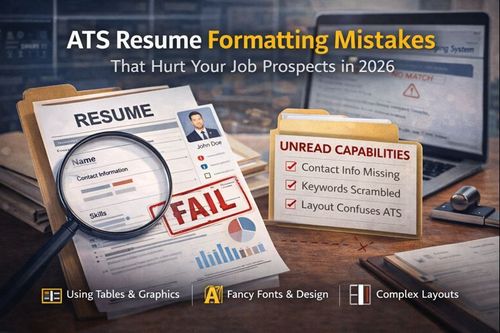

ATS Resume Formatting Mistakes That Hurt Your Job Prospects in 2026
You could have the right skills,
the right experience, and the right career story—yet still never hear back from recruiters. For most working professionals, this silence is not a reflection of capability but a formatting failure. Today, resumes are screened by Applicant Tracking Systems long before a human ever reviews them. If your CV cannot be read, parsed, and understood by these systems, your application effectively disappears.
This is why understanding ATS-friendly formatting is no longer optional. Even minor design choices can prevent your resume from being processed correctly. This blog breaks down the most common formatting pitfalls that harm your ATS score and explains how to fix them using a practical, step-by-step approach based entirely on a proven checklist and guide.
Who Is This Blog For?
This blog and guidebook are designed for:
- Working professionals applying to mid-level and senior roles
- Job seekers struggling to get interview callbacks despite strong experience
- Career switchers entering competitive job markets
- Professionals using visually designed resumes without ATS testing
- Anyone applying to roles at large companies or MNCs that rely on ATS screening
Why This Topic Matters Today?
Over 98 percent of Fortune 500 companies use Applicant Tracking Systems to filter resumes before human review. These systems scan resumes in seconds, ranking candidates based on structure, keywords, and formatting clarity. Research shows that up to 75 percent of resumes are rejected by ATS due to formatting issues alone, not because of lack of skills.
The challenge is that ATS software is far less intelligent than most professionals assume. While it handles plain text well, it struggles with creative layouts, images, tables, and unconventional formatting. When parsing fails, the system may:
- Miss critical skills and keywords
- Scramble your work history
- Merge unrelated sections
- Rank you lower than less-qualified candidates
Understanding how ATS reads your resume allows you to make simple adjustments that dramatically improve visibility and interview chances.
Core Concept or Framework Explained
At its core, ATS screening is about structure and readability. An Applicant Tracking System extracts text from your resume and categorises it into standard fields such as work experience, education, and skills. The system then compares this data against job requirements.
The framework behind ATS-friendly formatting is simple:
- Plain text is always preferred over visual elements
- Standard section headers help categorisation
- Linear, top-to-bottom layouts ensure correct reading order
- Common fonts and characters prevent parsing errors
When your resume follows these principles, ATS systems can accurately interpret your information and rank you appropriately.
How This Blog and Guidebook Help You?
This blog translates a detailed checklist into actionable guidance that helps you:
- Identify formatting elements that block ATS readability
- Fix errors that cause your resume to be skipped or misread
- Improve your resume’s parsing accuracy without changing content
- Increase the likelihood that recruiters actually see your profile
- Maintain separate versions of your resume for different use cases
These improvements do not alter your experience or achievements. They simply ensure that your qualifications reach the people who matter.
Step-by-Step Breakdown
Complex Headers and Footers
Many professionals place contact details, branding, or page numbers in headers and footers to keep the resume visually clean. Unfortunately, most ATS systems ignore or misread these sections entirely.
When contact information sits in a header or footer, the system may not detect your name, email, or phone number at all. This can make your application unidentifiable or uncontactable.
The fix is straightforward. Move all contact information into the main body of the document at the top of the first page. Use a simple text structure with your name on one line and contact details below it. Always test by copying your resume into a plain text editor to confirm the information appears correctly.
Graphics, Images, and Text Boxes
Visual resumes often include profile photos, skill charts, icons, and floating text boxes. While visually appealing, these elements are among the biggest ATS blockers.
Text embedded in images cannot be read by ATS software. Floating text boxes may be read out of order or skipped entirely. Decorative icons and background graphics confuse parsing algorithms and cause key content to be overlooked.
The solution is to remove all visual elements. Replace skill charts with text-based skill lists. Convert text boxes into regular document text. Use a plain white background with standard black or dark grey text. If you work in a creative field, maintain a separate visual resume for non-ATS use, but always keep an ATS-optimised version ready.
Unusual Fonts and Formatting
Fonts play a critical role in ATS compatibility. Decorative fonts, script styles, ultra-light weights, or custom fonts often fail to render correctly during parsing.
ATS systems work best with standard professional fonts such as Arial, Calibri, Georgia, Helvetica, or Times New Roman. Body text should remain between 10 and 12 points, while section headers and your name should range between 14 and 16 points.
Consistency also matters. Using more than two font families or mixing styles across sections reduces readability and increases parsing errors. Stick to one clean font family wherever possible.
Tables and Columns for Layout
Two-column layouts and tables are commonly used to organise information efficiently. Unfortunately, ATS systems read resumes from left to right and top to bottom. This causes content in columns or tables to be read out of sequence.
Skills may merge with experience details. Education may appear before job titles. The result is a scrambled resume that fails to represent your career accurately.
The fix is to use a single-column layout throughout. Remove tables entirely. Extract the text and arrange it vertically using clear spacing and bullet points. Once reformatted, read the resume top to bottom to ensure the flow makes logical sense.
Inconsistent or Missing Section Headers
ATS systems rely heavily on section headers to categorise information. When headers are missing, creatively named, or inconsistently formatted, the system struggles to assign content correctly.
Use standard, recognisable section names such as Work Experience, Education, Skills, and Certifications. Avoid creative alternatives that may confuse both ATS and human recruiters.
Format all headers consistently. Place them on their own line, use slightly larger font sizes, align them to the left margin, and avoid underlining or excessive styling. Clear hierarchy improves both ATS parsing and human readability.
Special Characters and Symbols
Special characters often look harmless but can cause serious parsing errors. Smart quotes, en dashes, em dashes, decorative bullets, and non-standard currency symbols may be misread or removed entirely.
Replace smart quotes with straight keyboard quotes. Use hyphens instead of en or em dashes. Stick to standard bullet points or hyphens. Spell out currency names where possible and simplify date formats using basic hyphens.
Always perform a plain text test. Copy your resume into a text editor. Any character that appears as a box, symbol, or question mark must be replaced.
Real-World Example
A marketing manager with eight years of experience applied to dozens of roles without receiving responses. Her resume used a two-column layout, decorative fonts, skill graphics, and header-based contact details. After converting her resume to a single-column format, removing visuals, switching to a standard font, and simplifying characters, her ATS parsing accuracy increased dramatically. Within weeks, she began receiving interview requests from multiple companies for the same roles.
Common Mistakes or Pitfalls to Avoid
Some professionals assume ATS optimisation requires keyword stuffing or rewriting content. In reality, formatting errors cause far more rejections than missing keywords.
Common mistakes include prioritising design over structure, using creative section titles, ignoring plain text testing, and assuming PDFs are always safe. These errors prevent accurate parsing and ranking.
A better approach is simplicity. Clear structure, standard formatting, and consistent layout ensure your resume works with ATS rather than against it.
How Should You Use This Guidebook Effectively?
This guidebook works best when used actively rather than passively. Start with a quick audit using the checklists to identify problem areas in under ten minutes. Then perform a deeper review of each section to understand why changes are necessary.
Keep the guide open while editing your resume. Apply fixes section by section and test frequently using a plain text editor. The entire process can be completed in one focused session and delivers immediate improvement in ATS compatibility.
Key Takeaways
- ATS systems prioritise structure and readability over visual design
- Headers and footers often hide critical contact information
- Images, text boxes, and charts block text parsing
- Standard fonts and sizes ensure consistent readability
- Single-column layouts prevent content scrambling
- Clear, conventional section headers improve categorisation
- Special characters frequently cause parsing errors
- Plain text testing is the fastest way to detect issues
Your Next Step: Accelerate Your Career with PlanetSpark
Creating an impact-driven resume is not just about landing your next job—it’s about owning your professional story and presenting it with clarity, confidence, and credibility. When your resume clearly communicates value, results, and impact, opportunities follow naturally.
At PlanetSpark, we are committed to empowering working professionals with practical, outcome-focused resources that drive real career growth. From resume building and workplace communication to leadership presence and professional writing, our programs are designed to help you succeed in today’s fast-evolving job market.
Visit https://www.planetspark.in/resources to explore:
- Career and resume-building guides
- Workplace communication and professional writing resources
- Skill-development tools curated for working professionals
Want a deeper, hands-on experience?
You can also book a free trial session to learn more about PlanetSpark’s Working Professional Courses, designed to accelerate your career through personalised coaching, real-world practice, and expert guidance.
Your career deserves more than generic advice.
It deserves clarity, confidence, and measurable impact.
Start building that advantage today—with PlanetSpark.