
Home Office Optimization Guide for Remote Professionals System
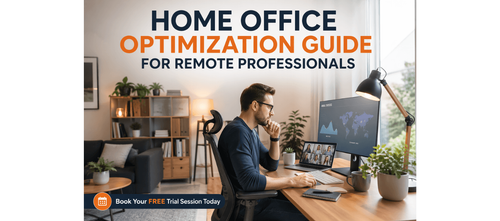

Optimise Your Home Office for Maximum Performance
As remote work continues to thrive, your home office has become more than just a space to work — it’s a crucial part of your productivity, well-being, and success. Without the natural cues and structure of an office environment, it's easy to feel overwhelmed, disconnected, or inefficient in your own workspace.
This guide is designed to solve that exact problem. With actionable steps, checklists, and frameworks, this blog will help you create a home office that works as hard as you do. Whether you're a career switcher, consultant, manager, or a professional looking to maximise your performance remotely, this guide will help you optimise your space and routines to boost your productivity, comfort, and overall work-life balance.
Download these resources and apply them alongside your daily work for improved clarity, productivity, and professional growth. You can also book a free trial to gain expert guidance and enhance your communication, problem-solving, and decision-making skills. The materials are designed in a clear, structured format to help professionals learn efficiently and implement insights with confidence.
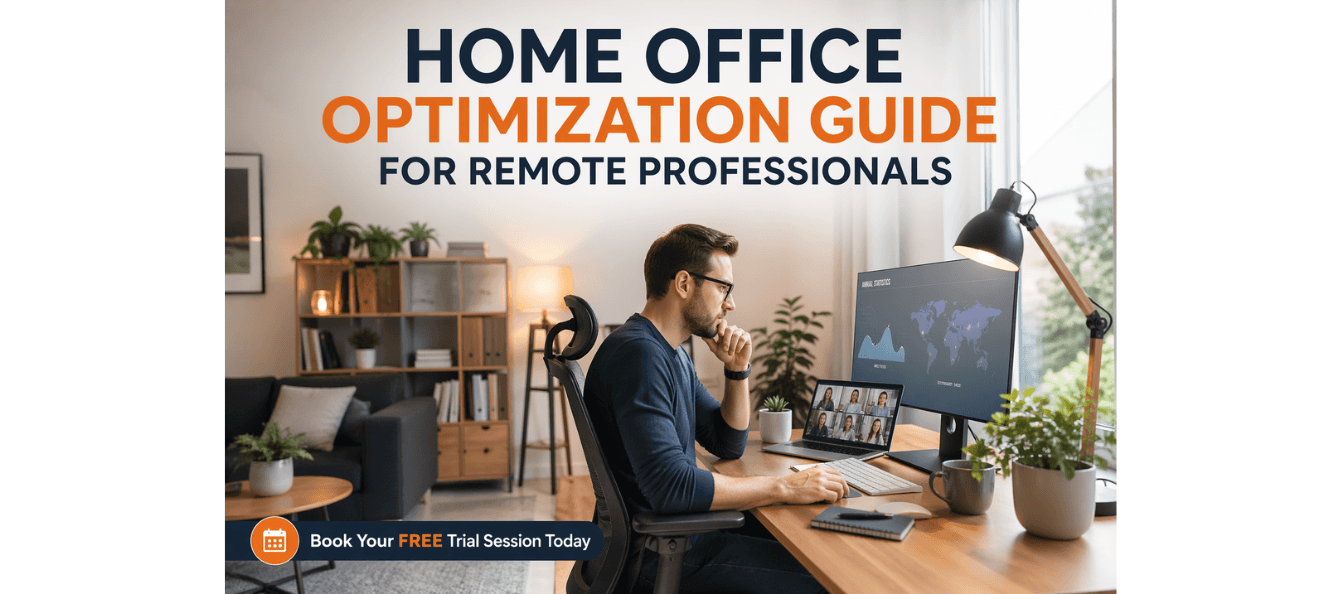
Who Is This Blog For?
- Career switchers transitioning to remote work
- Consultants looking to optimise their home office
- Managers leading remote teams
- Professionals aiming to improve productivity and comfort at home
Why This Topic Matters Today?
The shift to remote and hybrid work has transformed the way we think about productivity. Without the physical boundaries of an office, it's easy to get distracted, lose focus, or burn out. Your home office setup plays a significant role in how well you perform. From lighting and ergonomics to tech setups and daily rituals, every aspect of your environment impacts your ability to focus, stay energized, and make progress on your goals.
The Home Office Optimisation Guide solves this by providing a comprehensive framework to design a workspace that supports both your physical and mental performance. It ensures that your home office works as an asset for your productivity, not an obstacle.
Core Concept or Framework Explained
This guide provides a structured approach to optimising your home office across five key areas:
1. Space Design: How to layout and zone your office for focus and efficiency.
2. Ergonomics: Setting up your desk and seating for comfort and productivity.
3. Environment: Enhancing lighting, acoustics, and air quality for better focus and health.
4. Technology: Building a reliable tech setup for seamless work.
5. Routines & Boundaries: Establishing work routines and setting boundaries to maintain focus and avoid burnout.
These areas work together to create an environment that enhances both your physical comfort and cognitive performance.
How This Blog and Guidebook Help You?
This blog and the accompanying guide will help you:
- Design your home office layout for optimal focus and comfort
- Set up ergonomics that prevent fatigue and support long hours of work
- Optimise your environment with the right lighting, acoustics, and air quality
- Build a tech setup that ensures smooth, uninterrupted work
- Establish routines and boundaries that keep you productive and balanced
Step-by-Step Breakdown
Step 1: Designing Your Space — Layout & Zone Principles
Before investing in new equipment, focus on the layout of your workspace. Creating zones for different types of work, such as a Focus Zone for uninterrupted tasks, a Communication Zone for meetings and calls, and a Recharge Zone for breaks, helps you mentally switch between different work modes.
The principle of zoning can be applied even in small spaces by adjusting furniture positioning or using lighting and time-based rules. The key is to design your space with clear boundaries for focus, collaboration, and rest.
Step 2: Ergonomics — Your Body is a Performance Tool
Ergonomics is a critical factor in remote work comfort and productivity. Poor ergonomics can lead to back pain, wrist strain, and general discomfort, which, over time, hampers your performance.
Ensure your monitor is at eye level, your chair supports your lumbar curve, and your feet are flat on the floor. Invest in a good chair and monitor stand to prevent discomfort during long working hours.
Common fixes include using a laptop stand and external keyboard to avoid neck and shoulder strain, and adjusting screen brightness to reduce eye fatigue.
Step 3: Lighting, Acoustics, & Air Quality
Three often-overlooked factors that affect your work performance are lighting, acoustics, and air quality. A well-lit room helps reduce eye strain, while proper acoustics minimize distractions. If possible, incorporate natural light and invest in task lighting with a daylight-balanced bulb.
Noise-cancelling headphones are great for reducing distractions during calls and deep work sessions, and keeping the air quality fresh by adding indoor plants or using a HEPA air purifier can help improve focus and energy levels.
Step 4: Tech & Connectivity — Building a Reliable Setup
Technology failures are one of the biggest productivity killers in remote work. A stable internet connection is essential, so consider using an ethernet connection for better speed and reliability.
Invest in a 1080p webcam and USB condenser microphone for professional-quality calls. Additionally, a second monitor can increase productivity by up to 42%.
Step 5: Routines, Rituals, & Boundaries
A successful remote work routine includes a start ritual to signal the beginning of your workday, and deep work blocks to protect your most focused hours. A midday reset and end ritual help maintain energy throughout the day and keep boundaries clear between work and personal life.
Setting clear work hours with household members and hard stop times ensures that your workday ends as scheduled, preventing burnout.
Common Mistakes & How to Fix Them
- Working in the same clothes you slept in: Dress as if you're going to the office to signal readiness for work.
- Treating your inbox as a to-do list: Complete your most important task before checking email to stay proactive.
- Never leaving the house: Incorporate outdoor activities into your day to boost creativity and motivation.
- Optimising for comfort over performance: Use a proper desk and chair for work, reserving comfortable areas for breaks.
Key Takeaways
- Your environment directly impacts your focus, productivity, and professional presence.
- Zoning your workspace helps with focus and creates psychological separation between work and rest.
- Ergonomics, lighting, acoustics, and air quality should be optimized to improve comfort and performance.
- A reliable tech setup and consistent routines are essential for sustained productivity. - Set clear boundaries with both yourself and others to protect your time and energy.
Your Next Step with PlanetSpark
Start by completing the Home Office Optimisation Checklist and the Reflection Worksheet. Identify 3-5 quick wins you can implement today to improve your workspace.
Visit https://www.planetspark.in/resources to explore:
- Career and resume-building guides
- Workplace communication and professional writing resources
- Skill-development tools curated for working professionals
Want a deeper, hands-on experience?
You can also book a free trial session to learn more about PlanetSpark’s Working Professional Courses, designed to accelerate your career through personalised coaching, real-world practice, and expert guidance.
Your career deserves more than generic advice.
It deserves clarity, confidence, and measurable impact.
Personalized Communication Roadmaps
Record a video to get a AI generated personalized communication reports