
How to Manage Information Overload: A Guide for Professionals
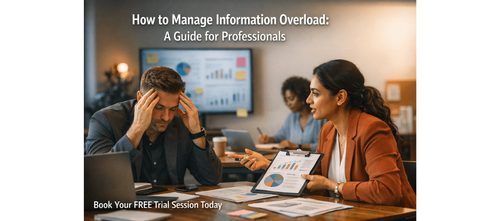

How to Think Clearly Decide Faster and Stay Productive in a Data Heavy World
Every morning starts the same way Before you even begin your real work you are already flooded with notifications emails Slack messages WhatsApp updates dashboards and meeting reminders By the time you sit down to focus your mental bandwidth is already stretched thin By midday you feel busy but not productive By evening you question what you actually accomplished
This is not a discipline problem It is not a time management issue It is information overload Today’s professionals are expected to process more information than ever before You are reading listening responding analysing and deciding constantly But without a structured system all this input creates noise instead of clarity Information overload happens when the volume of incoming information exceeds your ability to process and act on it effectively Instead of making better decisions you experience decision fatigue Instead of moving faster you slow down Instead of feeling informed you feel overwhelmed The Information Overload Management Guide provides a structured approach to solving this problem It helps you understand the different types of overload identify where your attention is leaking and build systems to filter prioritise and act on information effectively This is not about consuming less information It is about managing it intelligently so that you can think clearly make better decisions and work with focus
Download these resources and apply them alongside your daily work for improved clarity productivity and professional growth You can also book a free trial to gain expert guidance and enhance your communication problem solving and decision making skills The materials are designed in a clear structured format to help professionals learn efficiently and implement insights with confidence
Who Is This Blog For
- Working professionals overwhelmed by constant notifications and inputs
- Managers handling multiple communication channels and decisions
- Consultants juggling large volumes of client information
- Career switchers managing new learning across domains
- Anyone who feels busy but not truly productive
Why This Topic Matters Today
Modern work environments are designed for constant connectivity While this increases access to information it also creates cognitive overload
Professionals today face challenges such as
- Spending excessive time managing emails and messages
- Difficulty focusing due to constant interruptions
- Re reading information without taking action
- Feeling mentally exhausted early in the day
- Consuming more information than they can apply
Research shows that a significant portion of a professional’s day is spent managing communication rather than creating value This leads to a dangerous cycle more input less output
Understanding and managing information overload is no longer optional It is a core career skill
Core Concept or Framework Explained
Information overload can be understood through three key types
Volume Overload
Too many inputs competing for your attention at once
Complexity Overload
Information that is difficult to process due to depth or contradictions
Ambiguity Overload
Information that lacks clarity making it hard to act on
To manage this the guide introduces structured approaches such as
Information Environment Audit
Understanding all the channels through which information enters your workflow
Filtering System
Creating rules to decide what deserves your attention
These concepts help you move from reactive behaviour to intentional decision making
How This Blog and Guidebook Help You
By applying these frameworks you can
- Reduce mental clutter and improve focus
- Make faster and better decisions
- Eliminate unnecessary information sources
- Gain control over your attention
- Improve productivity without increasing effort
This approach transforms your workday from reactive to strategic
Step-by-Step Breakdown
Step 1: Audit Your Information Environment
Start by identifying all sources of information in your daily workflow
- Email accounts
- Messaging platforms
- Social media feeds
- Newsletters and subscriptions
- Internal tools and dashboards
List them and evaluate their value Keep what is useful reduce what is distracting and eliminate what is unnecessary
Step 2: Classify Information Value
Not all information deserves equal attention
Classify inputs based on importance
- Critical Requires immediate action
- Important Needs attention but not urgent
- Optional Useful but not essential
- Irrelevant Can be ignored or removed
This helps prioritise effectively
Step 3: Reduce Information Channels
Too many channels create fragmentation
Simplify your system
- Consolidate platforms where possible
- Unsubscribe from low value sources
- Limit the number of tools you use daily
Fewer channels mean better focus
Step 4: Build a Filtering System
Create rules for how you handle incoming information
- Check email at specific times instead of constantly
- Turn off non essential notifications
- Use filters and folders to organise inputs
This reduces cognitive load
Step 5: Shift from Consumption to Action
The biggest mistake professionals make is consuming more than they apply
Focus on
- Acting on key insights immediately
- Limiting passive consumption
- Prioritising execution over information gathering
This ensures progress
Common Mistakes or Pitfalls to Avoid
- Trying to process every piece of information
- Keeping too many information sources active
- Confusing activity with productivity
- Avoiding decisions due to lack of clarity
- Relying on memory instead of structured systems
These mistakes increase overload instead of reducing it
How Should You Use This Guidebook Effectively
- Conduct a full information audit once
- Review and optimise your system weekly
- Apply filtering rules consistently
- Reduce inputs before trying to increase productivity
- Focus on actionable insights not just information consumption
Small changes in how you manage information can lead to significant improvements in performance
Key Takeaways
- Information overload is a system problem not a personal failure
- Too much input reduces decision quality and productivity
- Identify and reduce unnecessary information sources
- Use structured filters to prioritise effectively
- Focus on action not just consumption
- Build systems that support clarity and focus
- Consistency in managing information leads to long term success
Your Next Step Accelerate Your Career with PlanetSpark
Creating an impact driven resume is not just about landing your next job it is about owning your professional story and presenting it with clarity confidence and credibility When your resume clearly communicates value results and impact opportunities follow naturally
At PlanetSpark we are committed to empowering working professionals with practical outcome focused resources that drive real career growth From resume building and workplace communication to leadership presence and professional writing our programs are designed to help you succeed in today’s fast evolving job market
Visit https://www.planetspark.in/resources to explore
- Career and resume building guides
- Workplace communication and professional writing resources
- Skill development tools curated for working professionals
Want a deeper hands on experience
You can also book a free trial session to learn more about PlanetSpark’s Working Professional Courses designed to accelerate your career through personalised coaching real world practice and expert guidance
Your career deserves more than generic advice
It deserves clarity confidence and measurable impact
Personalized Communication Roadmaps
Record a video to get a AI generated personalized communication reports