
Transitioning From AI Usage to Workflow System Design
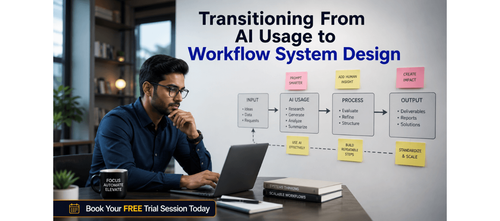

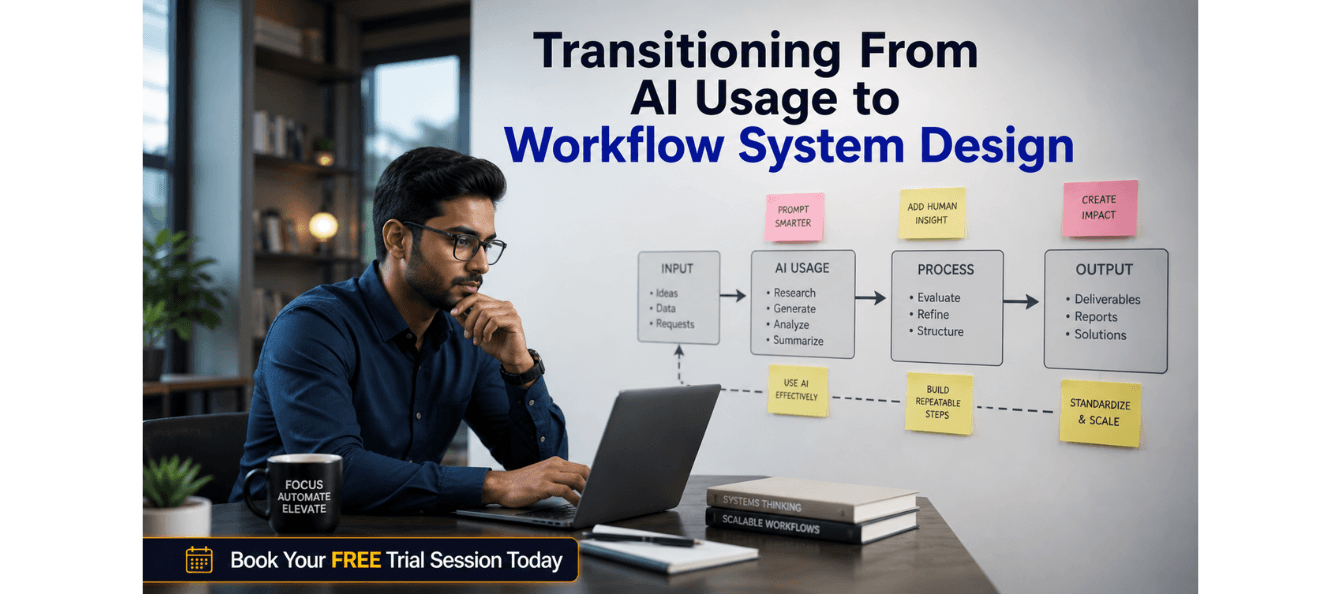
Scale Up Your AI Impact: How to Evolve From Tool User to System Designer in AI Workflows
The world of AI is rapidly evolving, and professionals who thrive in this landscape are no longer simply using tools—they are designing systems that harness the full power of AI. The gap between being a tool user and becoming a system designer is not about technical skills, but about adopting a new mental model. This blog will guide you through the process of evolving from a basic AI user to a strategic system designer, offering you frameworks, checklists, and practical steps to take full control of AI in your workflow.
Download these resources and apply them alongside your daily work for improved clarity, productivity, and professional growth. You can also book a free trial to gain expert guidance and enhance your communication, problem-solving, and decision-making skills. The materials are designed in a clear, structured format to help professionals learn efficiently and implement insights with confidence.
Who Is This Blog For?
- Career switchers looking to integrate AI into new roles
- Professionals already using AI but looking to scale its use effectively
- Consultants aiming to design AI-driven systems for clients
- Managers leading AI-powered teams and workflows
- Anyone seeking to move from tool usage to AI system design
Why This Topic Matters Today?
As AI becomes embedded in every business function, the professionals who will succeed won’t just be those who use the most tools—they’ll be the ones who design interconnected systems that make those tools work together seamlessly. Being a tool user is just the first step. To truly excel and stand out in your industry, you need to move beyond using AI tools and start designing systems that produce scalable, consistent outcomes.
The real value in AI lies not in individual tools, but in how those tools interact and enhance each other within a well-thought-out system. This blog offers you the framework and mindset needed to bridge the gap between being a tool user and becoming a system designer.
Core Concept or Framework Explained
This guide introduces a clear, three-phase framework to transition from tool user to system designer:
1. Phase 1: Awareness – Conduct an audit of your current AI usage. This will help you identify where AI is being used and where there are opportunities to create better workflows.
2. Phase 2: Application – Design your first AI workflow. Move from using AI tools in isolation to creating simple, repeatable workflows that produce reliable outcomes.
3. Phase 3: Mastery – Build sophisticated systems that integrate multiple tools and data points. This phase involves creating feedback loops, managing exceptions, and documenting the system for scalability.
How This Blog and Guidebook Help You?
By following this blog and using the accompanying worksheets and action steps, you will:
- Understand the fundamental shift from tool usage to system design
- Learn how to audit your AI usage and identify gaps
- Design simple yet effective workflows that save time and increase productivity
- Master the art of building scalable, interconnected AI systems that are easy to delegate and improve over time
Step-by-Step Breakdown
Phase 1: Awareness – Audit Your Current AI Usage
Before you can design a system, you need to understand where you stand. The first step is to audit how you’re currently using AI. Many professionals use AI tools in fragmented ways, often unaware of how to make those tools work together.
Key Actions:
1. List all AI tools used in the past 30 days.
2. Identify the top 3 recurring tasks where you’ve applied AI.
3. Rate the output quality of each AI tool: High, Medium, or Low.
4. Note where you edited outputs heavily.
5. Identify tasks that you haven’t yet automated with AI.
6. Flag tools used in isolation versus tools used in sequence with others.
This step gives you a clearer understanding of your current AI usage and helps you identify areas that can be optimized.
Reflection Questions:
- Where does AI currently save you the most time?
- Where do you still do things manually that AI could assist with?
- What would "good output" look like if you had to hand it to a colleague?
Phase 2: Application – Design Your First AI Workflow
Now that you’ve assessed your AI usage, the next step is to design a workflow. A workflow is a repeatable sequence of steps where the output of one action becomes the input for the next. The key here is to stop treating each AI interaction as a one-off and start designing chains of actions that deliver reliable, high-quality results.
Key Steps:
1. Choose one recurring task from your audit—ideally something you do weekly.
2. Break the task down into its component steps. Where does information come in? Where does it get processed? Where does it go out?
3. Map this as a simple flow before you assign any tools to it. The map comes first; the tools come second.
4. Assign tools to each step in the workflow and test it manually.
Quick Win: Take one task you did manually this week and redesign it as a three-step AI workflow. Run it once, note what breaks, and fix it. That’s system design in action.
Phase 3: Mastery – Architect Systems That Scale
A system is a workflow with intelligence built in. Instead of just connecting tools, you’re designing the rules that govern how those tools interact, what happens when something goes wrong, and how outputs are evaluated and refined over time.
Key Components:
1. Inputs: What data, context, or triggers initiate the system?
2. Processes: What transformations happen, and in what order?
3. Outputs: What gets produced, for whom, and in what format?
4. Feedback: How do you evaluate results and improve the system?
The hallmark of a system designer is documentation. Every system you build should have a one-page brief explaining what it does, what it needs, what it produces, and how to troubleshoot it. This documentation ensures that the system is scalable and can be handed off to others.
Real-World Application: The Content Intelligence System
Let’s take the example of Priya, a marketing consultant. She started as a tool user, simply using ChatGPT to write individual social media posts. This method was slow and inconsistent. After completing her AI audit, Priya identified that content creation consumed 40% of her working week.
In Phase 2, Priya designed a three-step workflow:
1. Research trends using Perplexity.
2. Feed the research brief into ChatGPT with a structured prompt to generate content drafts.
3. Use Grammarly’s AI to refine tone and check brand alignment.
Priya’s output time dropped from 90 minutes to 22 minutes per piece. She further refined her process by adding a feedback loop—every piece of content was scored by her client. After 20 pieces, Priya had enough data to refine her prompt templates.
Strategic AI Tool Selection
To move beyond ad-hoc AI usage, you need to select the right tools based on the needs of your system. Tools should not be chosen solely for their individual features, but for their ability to integrate into your broader AI workflow.
Key Considerations:
- Functionality & Fit: Does it precisely address a specific step in your workflow, aligning with its inputs and expected outputs?
- Seamless Integration: Can it easily connect with other AI and non-AI tools in your system, minimizing manual data transfer?
- Reliability & Security: Is the tool stable, dependable, and does it meet your organization’s data privacy and security standards?
- Scalability & Cost: Can the tool handle increasing volumes of work, and is its pricing model sustainable as your system expands?
- Ethical Alignment: Does the tool adhere to ethical AI principles regarding bias, transparency, and responsible use?
Your 30-Day Action Plan
Transformation doesn't happen in a single session — it happens in deliberate, compounding steps. Use this 30-day plan to move through all three phases with momentum. Each week builds on the last, and by day 30 you'll have a functioning, documented AI system you can use, share, and improve.
Week 1: Audit
Complete your AI usage audit. List all tools, tasks, and output quality ratings. Identify your top 3 recurring tasks.
Week 2: Design
Choose one recurring task. Map it as a workflow. Assign tools to each step. Run it once manually end-to-end.
Week 3: Refine
Run the workflow 5 times. Note what breaks or underperforms. Refine your prompt templates and tool assignments.
Week 4: Scale
Add a feedback loop. Write your one-page system brief. Share it with one colleague. Identify your next workflow to design.
Reflection: At the end of each week, ask yourself — "Did I act like a tool user or a system designer this week?" The answer will guide your next move.
Key Takeaways
You now have everything you need to make the shift. The gap between tool user and system designer is not about technical expertise — it's about how you think, plan, and build. Here are the seven principles to carry forward.
1. Map before you build: Always design the workflow on paper before assigning tools. The map is the system; the tools are just components.
2. Start small, prove it works: A reliable 3-step workflow beats an ambitious 10-step system you never finish. Complexity earns its place.
3. Design for handoff: If only you can run it, it's a habit — not a system. Document everything so others can use it without you.
4. Build feedback loops: Every system should have a quality metric and a review cadence. Systems that don't improve, degrade.
5. Think in inputs, processes, outputs: This three-part mental model applies to every AI system, at every level of complexity.
6. Iterate in public: Share your systems with colleagues. Their feedback is the fastest way to find what's missing.
7. You are already a designer: Every time you've refined a prompt, chained two tools, or reused a process — you've been designing. Now do it on purpose.
Your Next Step: Accelerate Your Career with PlanetSpark
Visit https://www.planetspark.in/resources to explore: -
Career and-building guides
Workplace communication and professional writing resources
Skill-development tools curated for working professionals
Want a deeper, hands-on experience?
You can also book a free trial session to learn more about PlanetSpark’s Working Professional Courses, designed to accelerate your career through personalised coaching, real-world practice, and expert guidance. Your career deserves more than generic advice. It deserves clarity, confidence, and measurable impact.
efine, and re-audit quarterly
Your Next Step: Accelerate Your Career with PlanetSpark
Visit https://www.planetspark.in/resources to explore: -
Career and-building guides
Workplace communication and professional writing resources
Skill-development tools curated for working professionals
Want a deeper, hands-on experience?
You can also book a free trial session to learn more about PlanetSpark’s Working Professional Courses, designed to accelerate your career through personalised coaching, real-world practice, and expert guidance. Your career deserves more than generic advice. It deserves clarity, confidence, and measurable impact.
Personalized Communication Roadmaps
Record a video to get a AI generated personalized communication reports