AI Productivity Tracking Dashboard

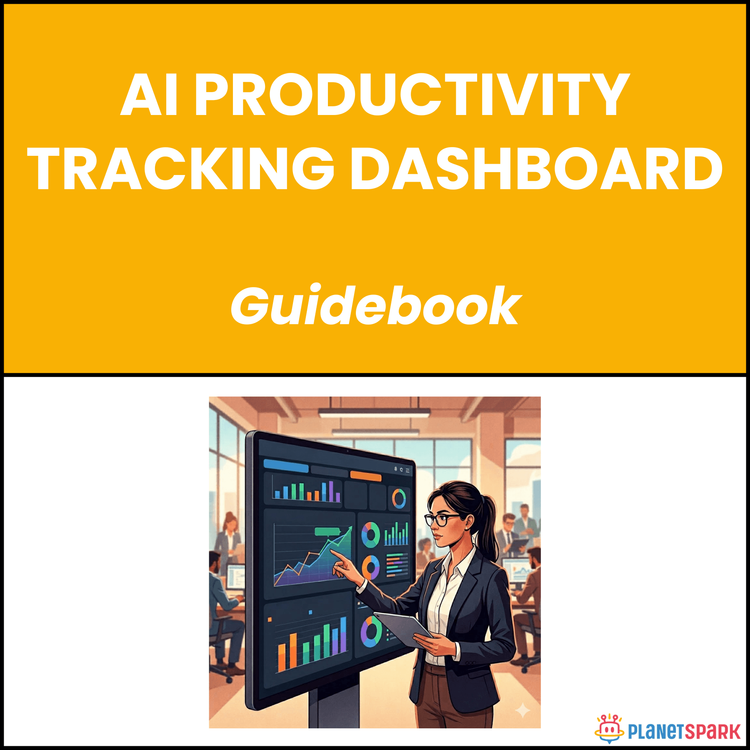
AI Productivity Tracking Dashboard
How to Build an AI-Powered Productivity System That Actually Improves Your Work Output
If you’re constantly busy but still feel like your most important work isn’t getting done, you’re not alone. Many working professionals operate in a cycle of tasks, meetings, and deadlines—without real clarity on what’s actually driving results.
The problem isn’t effort. It’s visibility.
Without a clear system to track where your time goes, how effectively you’re working, and whether your efforts align with your goals, it’s easy to stay busy but not productive. That’s exactly why the AI Productivity Tracking Dashboard guide exists—to help you move from reactive work patterns to data-driven, intentional productivity.
This resource gives you a structured, practical approach to building and using an AI-powered dashboard that doesn’t just track your work—but actively helps you improve it.
Who Is This Resource For?
This guide is designed for working professionals who want to work smarter, not just harder:
- Professionals with 0–15 years of experience looking to improve productivity
- Career switchers trying to build consistent, high-impact work habits
- Consultants managing multiple clients and priorities
- Managers who want better visibility into their own or their team’s output
- Individuals aiming for promotions or more strategic roles
- Anyone who feels busy but lacks clarity on where their time actually goes
If you want measurable improvement—not guesswork—this resource is built for you.
What Does This Resource Contain?
This is a step-by-step, implementation-focused guide that walks you through building a complete productivity system using AI dashboards.
Inside, you’ll find:
- A clear breakdown of what an AI productivity dashboard is and how it works
- Core dashboard components like task velocity tracking, focus analysis, and goal progress visualisation
- The three-layer productivity model: Activity, Effectiveness, and Alignment
- The FITS framework to help you choose the right AI tool quickly and confidently
- A structured dashboard setup process, including goal mapping and task categorisation
- A detailed configuration checklist to get your system running in under 90 minutes
- A weekly review framework to turn data into decisions
- A guided worksheet to reflect on performance and plan improvements
- Key productivity metrics with benchmark ranges for context
- A practical playbook to act on AI-generated recommendations
- Advanced techniques like custom KPIs, trend analysis, and cross-tool integration
- A real-world case study showing measurable improvement in just 6 weeks
- Common mistakes and how to avoid them
- A 30-day implementation roadmap for consistent progress
Everything is designed to be actionable from day one.
Summary of the Resource
The AI Productivity Tracking Dashboard guide is a practical system that helps you measure, understand, and improve how you work.
Instead of relying on intuition, it enables you to track meaningful productivity signals, identify inefficiencies, and make better decisions about your time. The result is not just higher output—but more aligned, strategic work that actually contributes to your career growth.
If you want a structured way to improve performance within weeks—not months—this resource gives you that path.
How Will This Resource Be Useful?
This guide helps you move from confusion to clarity in how you work.
You’ll gain:
- Clear visibility into where your time and energy are going
- A structured system to prioritise high-impact work
- Better alignment between daily tasks and long-term goals
- The ability to identify and eliminate low-value activities
- Improved focus through intentional scheduling and tracking
- Data-backed insights instead of guesswork
- Faster decision-making about what to start, stop, or optimise
Most importantly, it helps you shift from reactive execution to proactive, strategic productivity.
How Should You Use This Resource?
To get the best results, approach this guide in phases:
Start by reading through the entire guide once. This helps you understand the overall system and how each part connects.
Next, move into implementation. Begin with selecting your AI dashboard tool using the FITS framework, then set up your dashboard with the recommended configuration steps.
Once your system is live, focus on consistency. Use the weekly review framework to analyse your data, identify patterns, and make small but meaningful adjustments.
As you get comfortable, start applying advanced techniques like custom KPIs and trend analysis to deepen your insights.
You can revisit different sections of the guide whenever you:
- Feel stuck or unproductive
- Want to optimise your workflow
- Prepare for performance reviews
- Plan your next career move
Action Steps
After accessing this resource, take these steps immediately:
1. Choose one AI productivity tool using the FITS framework
2. Block 90 minutes to complete your initial dashboard setup
3. Define 2–3 clear professional goals for the next 90 days
4. Categorise your tasks into strategic, operational, and administrative buckets
5. Set up at least one daily focus block in your calendar
6. Schedule a weekly 30-minute review session (non-negotiable)
7. Track your metrics consistently for the next 2–3 weeks before making major changes
Consistency here is more important than perfection.
Working harder is no longer the advantage—working with clarity is. When you can see exactly how your time, effort, and outcomes connect, you make better decisions, faster.
This resource is not just about tracking productivity. It’s about building a system that helps you continuously improve how you work, week after week.
Book your free session today!