Building a Personal AI Workflow for Productivity

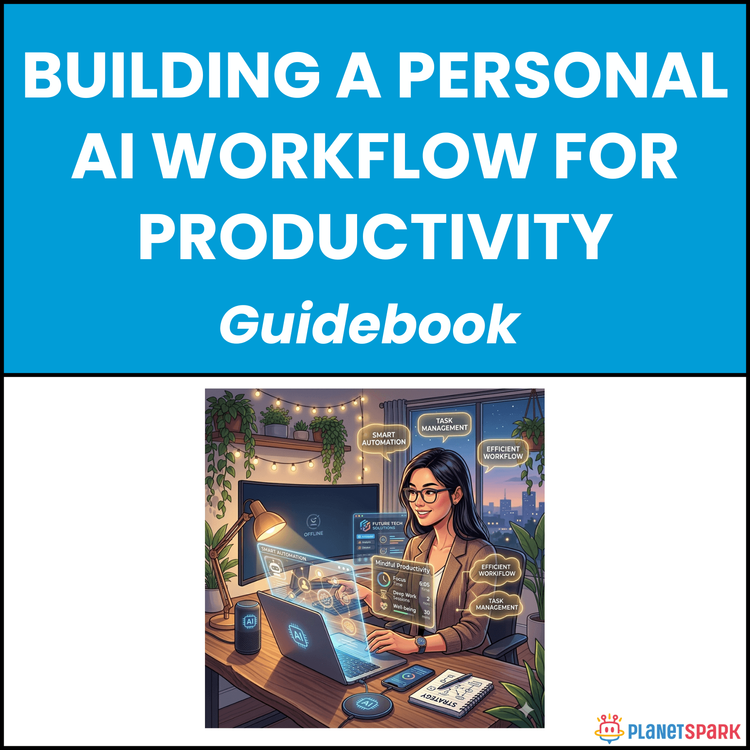
Building a Personal AI Workflow for Productivity
Design a Smarter Workday: Build a Personal AI Workflow That Saves Hours Every Week
If your workdays feel packed with emails, meetings, deadlines, and constant context-switching—you’re not alone. Most working professionals are not short on effort; they’re short on systems. Despite the growing availability of AI tools, many professionals are still stuck in reactive workflows, using AI occasionally but not in a way that consistently saves time or improves output.
That’s exactly the gap this resource, “Building a Personal AI Workflow for Productivity,” is designed to solve.
It helps you move from random AI usage to a structured, repeatable system that fits your real workday. Instead of trying every new tool, you learn how to identify where AI can actually help—and build a workflow that delivers measurable results.
Who Is This Resource For?
This guide is especially valuable if you are:
- A working professional with 0–15 years of experience
- A manager dealing with constant communication and meeting overload
- A consultant handling multiple clients and deliverables
- A career switcher trying to increase productivity and stand out
- An early-career professional looking to improve output and confidence
- A solo operator or entrepreneur managing multiple responsibilities
- Someone who has tried AI tools but hasn’t built a consistent system
If you feel busy but not always productive, this resource will help you fix that with clarity and structure.
What Does This Resource Contain?
This is a step-by-step system, not a generic overview of AI tools.
Inside the resource, you’ll find:
- A clear explanation of what a personal AI workflow actually is (and what it is not)
- The Productivity Paradox framework explaining why more tools often lead to less focus
- The three common AI adoption mistakes: Experimenter, Skeptic, and Overwhelmed Adopter
- A 48-hour workflow audit system to identify time drains and bottlenecks
- A task categorisation framework (creative, communicative, analytical, administrative)
- The AI Opportunity Zone model to identify where AI delivers the highest ROI
- A practical guide to choosing the right AI tool stack (3–5 tools max)
- A role-based tool recommendation matrix for faster implementation
- A daily workflow architecture (morning planning, communication sprint, deep work, meetings, wrap-up)
- A complete prompt library system with ready-to-use professional prompts
- The anatomy of high-performing prompts (Role, Context, Instruction, Format, Constraints)
- Three daily AI rituals to build long-term consistency
- A 21-day habit-building framework for sustainable adoption
- A detailed implementation checklist to launch your workflow
- A real-world case study showing measurable time savings (8–9 hours per week)
- Common AI workflow mistakes and how to fix them
- Phase 2 scaling strategies for advanced automation
- A self-assessment worksheet to track progress
- Ethical guidelines for responsible AI usage in professional environments
Everything is designed to be actionable, not theoretical.
Summary of the Resource
“Building a Personal AI Workflow for Productivity” is a practical, implementation-focused guide that helps you design a system where AI supports your daily work consistently.
Instead of using AI occasionally, you learn how to integrate it into your workflow at specific moments—saving time, reducing mental load, and improving the quality of your output.
If you want a clear, structured way to use AI without feeling overwhelmed, this resource gives you that system.
How Will This Resource Be Useful?
This resource helps you move from scattered effort to structured productivity.
You’ll gain:
- Clear visibility into how your time is actually spent
- A structured way to identify high-impact AI use cases
- A lean AI tool stack tailored to your role and work style
- Faster execution of repetitive and communication-heavy tasks
- Reduced time spent on emails, meetings, and documentation
- Improved output quality through AI-assisted drafting and structuring
- Lower cognitive load and less decision fatigue
- A repeatable system that improves with use over time
Most importantly, it helps you stop experimenting randomly with AI—and start using it intentionally.
How Should You Use This Resource?
To get the best results, follow a structured approach:
First, read the guide once to understand the full system and how each step connects.
Next, complete the 48-hour workflow audit. This is the most critical step—do not skip it. It gives you clarity on where your time actually goes.
Then, map your tasks using the AI Opportunity Zone framework to identify where AI will create the biggest impact.
After that, select a small tool stack (3–5 tools maximum) based on your needs—not trends.
Design your daily workflow architecture by assigning specific AI tasks to specific parts of your day.
Build your initial prompt library using the provided templates, and customise them for your role.
Finally, implement the three daily AI rituals (morning planning, communication batching, end-of-day wrap-up) consistently for at least 21 days.
Revisit and refine your system weekly as you start seeing results.
Action Steps
After accessing this resource, take these steps immediately:
1. Block 30–40 minutes to read the guide fully
2. Track your work for 2 days to complete the workflow audit
3. Identify your top 3 time-draining tasks
4. Map those tasks into AI Opportunity Zones
5. Choose 1–2 tasks to automate first (start small)
6. Select 2–3 AI tools to support those tasks
7. Create 3–5 reusable prompts for daily use
8. Implement your first AI-assisted workflow block (e.g., email drafting)
9. Schedule your 3 daily AI rituals in your calendar for the next 21 days
10. Measure one clear outcome in Week 1 (time saved, faster output, etc.)
Small, consistent improvements here will compound into significant time savings.
The way work gets done is changing—but most professionals haven’t updated their systems yet. This resource gives you a clear path to do exactly that. It’s not about replacing your thinking with AI. It’s about removing the repetitive, low-value work so you can focus on what actually matters.
When used correctly, AI doesn’t just save time—it gives you back control over your workday.
Book your free session today!