
Business Performance Dashboard Template

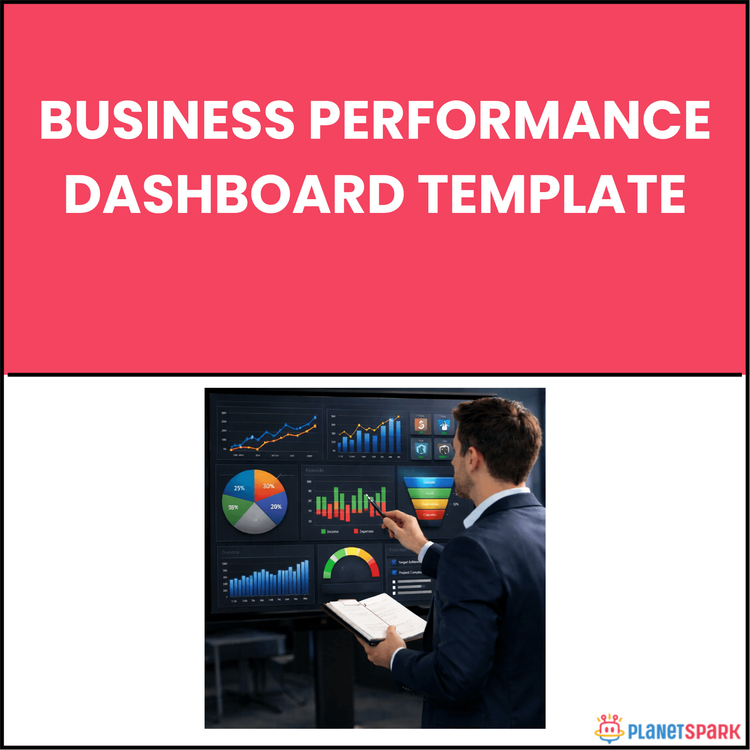
Business Performance Dashboard Template
Business Performance Dashboard Template: A Practical Guide to Build, Read, and Act on Data That Drives Real Decisions
If you’ve ever sat in a meeting where someone presents endless spreadsheets—but no clear decisions come out of it—you’ve experienced a dashboard problem.
Not a data problem.
Most professionals have access to data. What they lack is a structured way to turn that data into insight—and insight into action.
That’s exactly why the Business Performance Dashboard Template exists.
This resource is designed to help working professionals build dashboards that are not just visually appealing—but actually useful. Dashboards that tell you what’s happening, why it’s happening, and what to do next.
Who Is This Resource For?
This resource is especially valuable if you are:
- A working professional with 0–15 years of experience working with data or reports
- A manager responsible for tracking team or business performance
- A consultant presenting insights to clients or stakeholders
- A career switcher aiming to build analytical and business skills
- A professional frustrated with confusing or ineffective reports
- Anyone who wants to make faster, data-driven decisions
If you want to move from “reporting numbers” to “driving decisions,” this guide is built for you.
What Does This Resource Contain?
This is not just a template—it’s a complete dashboard-building system.
Inside the resource, you’ll find:
- A clear explanation of why dashboards fail—and how to fix them
The introduction on page 2 highlights that dashboards often fail because they don’t support decisions, not because of lack of data.
- A Decision-First Dashboard Framework
The concept on page 3 emphasizes starting with one key question:
“What decision does this dashboard need to support?”
- The 3-Question Metric Filter:
- Does this metric inform a decision?
- Can someone act on it within 24–72 hours?
- Is it available at the right frequency?
This ensures only relevant metrics are included.
- Common Metric Categories:
- Financial (Revenue, Margin, CAC, LTV)
- Operational (Cycle time, utilisation)
- Customer (NPS, churn, retention)
- People (attrition, hiring metrics)
- A 3-Layer Dashboard Structure
The framework on page 4 organizes dashboards into:
- Layer 1: Executive Summary (quick view KPIs)
- Layer 2: Functional Performance (team-level insights)
- Layer 3: Diagnostic Detail (deep-dive analysis)
- Visualisation Best Practices
The guide on page 5 explains:
- When to use line charts vs bar charts
- Why simplicity improves understanding
- The “3-second comprehension test” for visuals
- Targets and RAG (Red-Amber-Green) Framework
The section on page 6 shows how to:
- Define performance thresholds
- Identify risk early
- Trigger action based on data
- Metric Ownership System
Every metric must have a clear owner responsible for monitoring and action.
- A Build-From-Scratch Worksheet
The worksheet on page 7 walks you through:
- Defining purpose
- Selecting metrics
- Assigning layers
- Setting targets
- Assigning ownership
- A Real-World Case Study
The example on page 8 shows how a SaaS manager reduced reporting chaos and improved decision-making using this system.
- A 25-Point Dashboard Quality Checklist
The checklist on page 9 ensures your dashboard is clear, actionable, and stakeholder-ready.
- A One-Page Quick Reference Template
The template on page 10 helps you plan dashboards quickly and consistently.
- Key strategic takeaways
The summary on page 11 reinforces that dashboards are decision tools—not data displays.
Everything is designed for immediate application—not theory.
Summary of the Resource
The Business Performance Dashboard Template is a structured, practical guide that helps you build dashboards that actually drive decisions.
It connects strategy, metrics, design, and execution into one system—so your dashboard becomes a decision-making tool, not just a reporting document.
If you invest a few focused hours, you can replace scattered reports with one clear, actionable dashboard.
How Will This Resource Be Useful?
This resource helps you move from confusion to clarity.
You’ll gain:
- A structured approach to selecting meaningful metrics
- Clarity on how to design dashboards for decision-making
- Stronger data communication and presentation skills
- Faster, more confident decision-making in meetings
- Improved stakeholder alignment and clarity
- A reusable system you can apply across projects and roles
Most importantly, it helps you stop reporting data—and start influencing decisions.
How Should You Use This Resource?
To get the best results, follow a phased approach:
Start with understanding:
- Read the full guide once to understand the framework
- Focus on the “decision-first” mindset
Then define your dashboard:
- Write your dashboard purpose statement
- Identify the key decision it should support
Next, select metrics:
- Apply the 3-question filter
- Limit to 7–10 metrics
Structure your dashboard:
- Build Layer 1 (Executive KPIs)
- Add Layer 2 (Functional metrics)
Design for clarity:
- Choose appropriate visualisations
- Apply the 3-second comprehension test
Add accountability:
- Define targets and thresholds
- Assign owners to each metric
Validate before launch:
- Use the 25-point checklist
- Test with a stakeholder
Then iterate:
- Refine based on feedback
- Update quarterly as priorities evolve
Action Steps
After accessing this resource, take these steps immediately:
1. Define one key decision your dashboard should support
2. Write a one-sentence dashboard purpose statement
3. List 10 potential metrics and apply the 3-question filter
4. Select your top 5–7 metrics for the first version
5. Assign each metric to Layer 1 or Layer 2
6. Define targets and RAG thresholds
7. Build a simple first version (even in Excel or Google Sheets)
Clarity beats complexity—especially in data.
A good dashboard doesn’t just show numbers. It tells a story, highlights risks, and drives action.
When built correctly, it becomes one of the most powerful tools in your professional toolkit.
Use this resource not just to build dashboards—but to build credibility, influence, and decision-making capability.
Book your free session today!