
Remote Work Setup Checklist

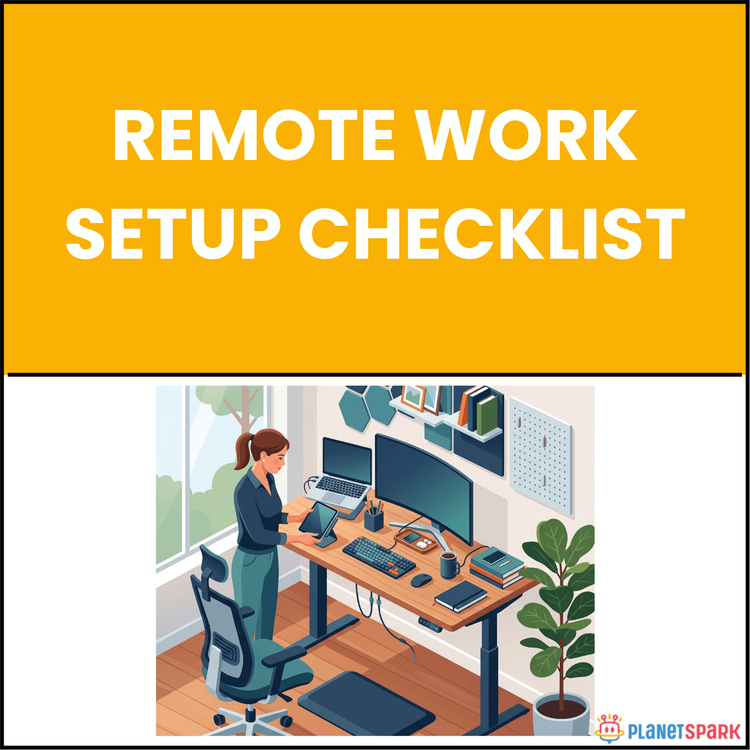
Remote Work Setup Checklist
Mastering Your Remote Work Setup: The Ultimate Guide to Building a Professional Home Office
Remote work is no longer a temporary solution—it's here to stay. However, despite the widespread adoption of home offices, many professionals still treat their remote workspace as an afterthought. This often leads to poor video presence, missed deadlines, and burnout. Imagine transforming your home office into a productivity powerhouse that not only boosts your focus but also enhances your professionalism. The Remote Work Setup Checklist is your comprehensive guide to making that happen, starting from day one and continuing long-term.
Who Is This Resource For?
This resource is designed for anyone navigating remote work. Whether you're a career switcher, job seeker, consultant, or manager, you'll benefit from a setup that supports both productivity and wellbeing. Here's who will benefit the most:
* Career Switchers: Transitioning into a new remote role and need to set up an efficient workspace.
* Job Seekers: Looking to work from home and want a professional environment that mirrors in-office productivity.
* Consultants & Freelancers: Working from home requires intentional planning to stay productive and professional.
* Managers & Team Leaders: Balancing multiple teams and projects remotely requires an organized and efficient workspace.
What Does This Resource Contain?
The Remote Work Setup Checklist is divided into three key phases, making it easy for professionals to set up, audit, and maintain their remote work environment. Each phase contains actionable insights and clear recommendations.
1. Before You Begin - Foundation decisions like workspace setup, internet speed, and security protocols.
2. Your Core Setup - Hardware, ergonomic considerations, and essential tools to optimize your workspace for focus and productivity.
3. Sustaining Peak Performance - Strategies for building daily routines, maintaining boundaries, and focusing on wellbeing to prevent burnout.
The checklist is packed with practical tips and resources to optimize your remote work setup.
Summary of the Resource:
This checklist is a step-by-step guide that helps remote professionals design, maintain, and sustain a productive and professional remote workspace. From setting up the right tools and hardware to establishing healthy work habits, this resource ensures you're not just surviving remote work—you're thriving.
How Will This Resource Be Useful?
The Remote Work Setup Checklist directly addresses common challenges faced by remote workers, such as poor productivity, weak presence in meetings, and the risk of burnout. By following its structured advice, you'll:
* Enhance your video presence with upgraded webcams and lighting
* Boost productivity by designing your workspace to reduce distractions and optimize ergonomics
* Protect your health with mindful physical setups and habits
* Ensure long-term success with boundaries that protect your work-life balance
How Should You Use This Resource?
1. Read Through the Entire Checklist: Begin by reading through all the sections to understand the full scope of your remote work environment.
2. Audit Your Current Setup: After your initial read, use the checklist at the end of each section to assess your current workspace.
3. Apply Changes Gradually: Start with the most pressing issues (e.g., internet speed, workstation ergonomics) and implement solutions one by one.
4. Revisit Quarterly: As your role evolves or as technology changes, revisit the checklist every three months to ensure your setup remains optimal.
Action Steps:
1. Day 1: Designate your workspace and run your internet speed test.
2. Day 2: Test your audio and video setup on a practice call.
3. Day 3: Audit your chair and desk ergonomics, and make adjustments.
4. Day 4: Set up your core software stack and enable 2FA on all accounts.
5. Day 5: Block focus time on your calendar and set your status messages.
6. Day 6: Define your startup and shutdown rituals and write them down.
7. Day 7: Complete a full checklist audit and schedule fixes for any remaining gaps.
Your journey towards a professional, high-performing remote workspace begins here. Implement these steps, and you’ll see immediate results in both productivity and overall work-life balance.