
Improve Concise Email Writing Skills Easily


Table of Contents
- Why Concise Email Writing Matters in the Workplace
- The 5 Cs of Concise Email Writing
- How to Structure a Professional Concise Email
- Best Tips to Improve Concise Email Writing Fast
- Daily Practice Exercises to Improve Fast
- How Concise Email Writing Supports Career Growth
- PlanetSpark Creative Writing Classes
- Conclusion
Your emails may be costing you time, opportunities, and faster responses without you realizing it. Many working professionals send long, unclear emails that get ignored, misunderstood, or delayed. In fast-moving workplaces, people prefer messages that are easy to scan and simple to act on. That is where concise email writing becomes a career advantage.
In this complete guide, you will learn how to write shorter yet more effective emails, follow proven communication frameworks like the 5 Cs, structure updates professionally, avoid common mistakes, and improve workplace credibility. You will also discover real examples, templates, and expert strategies that help professionals communicate with confidence.
Why Concise Email Writing Matters in the Workplace
Every day, professionals deal with crowded inboxes, back-to-back meetings, and limited attention spans. If your email takes too long to understand, it may be skipped or postponed. Clear and concise writing helps readers understand your message immediately.
Benefits of concise email writing:
- Saves time for sender and receiver: Short emails take less time to write and are quicker for readers to understand, helping everyone work more efficiently.
- Increases reply rates: People are more likely to respond to emails that are clear, direct, and easy to read without too much effort.
- Reduces misunderstandings: Concise emails focus only on important details, which lowers confusion and avoids unnecessary back-and-forth messages.
- Improves workplace efficiency: When communication is faster and clearer, teams can make progress quickly and complete tasks on time.
- Creates a smart professional image: Well-written short emails show that you are organized, confident, and respectful of other people’s time.
- Helps managers make faster decisions: Decision-makers prefer quick summaries and clear action points, making it easier for them to respond promptly.
- Shows confidence and clarity: Professionals who express ideas simply and directly often appear more confident, capable, and leadership-ready.
When you communicate clearly, people trust your judgment more. Strong written communication often influences promotions, leadership opportunities, and client relationships.
Still not getting replies to your emails?
Book a PlanetSpark demo class today and learn communication skills professionals use to stand out before others do.
The 5 Cs of Concise Email Writing
A practical way to improve professional emails is by following the 5 Cs. These five principles help you write messages that are clear, effective, and respectful while saving time for everyone involved.
1. Complete
A concise email should still contain all the information the reader needs. If important details are missing, the recipient may need to ask follow-up questions, which creates delays and extra emails.
Make sure your email answers these points:
- What is needed – Explain the task, request, or purpose clearly.
- By when – Mention the deadline or timeline.
- Who is involved – Include names, departments, or teams if relevant.
- Relevant attachments or links – Add documents, spreadsheets, or references the reader may need.
Example:
Please review the attached proposal and share feedback by Friday, 4 PM.
This short email is concise but still complete.
2. Clear
Clear emails are easy to understand on the first read. Use simple words, direct sentences, and avoid jargon unless the reader is familiar with it.
Instead of writing long or confusing explanations, focus on the key message.
Unclear:
We may need to potentially revisit the deliverable structure based on future considerations.
Clear:
We need to revise the project plan next week.
When your message is clear, readers can act quickly without confusion.
3. Correct
Correctness builds trust and professionalism. Even a short email can lose impact if it contains grammar mistakes, wrong names, or incorrect dates.
Always check:
- Grammar and spelling
- Names and titles
- Dates and meeting times
- Numbers or budgets
- Attachment names
Example: Writing “Monday, 3 PM” instead of “Monday, 5 PM” can create scheduling issues. Accuracy matters.

4. Concise
Being concise means using only the words needed to communicate your point. Remove repetition, unnecessary greetings, or filler phrases.
Instead of:
I am writing this email to let you know that I have completed the report.
Use:
I completed the report.
This saves time and sounds more confident.
5. Courteous
Short emails should still feel professional and respectful. Tone matters, especially in workplace communication.
Use phrases such as:
- Please review by 4 PM
- Thank you for your support
- Kindly confirm once done
These phrases keep your email polite without adding unnecessary length.
Why the 5 Cs Matter
When used together, the 5 Cs help you sound professional, save time, and improve response rates. They are especially useful for busy professionals who need clear communication every day.
How to Structure a Professional Concise Email
Even a short email needs proper structure. A well-organized email helps the reader quickly understand your message and know what action to take.
Subject Line
The subject line is the first thing people see. A vague subject line may be ignored, while a clear one improves open rates and faster responses.
Use actionable and specific subject lines.
Good examples:
- Approval Needed: Q2 Budget by Friday
- Meeting Confirmation for Monday 11 AM
- Client Feedback Received: Next Steps
Weak examples:
- Update
- Important
- Hello
Strong subject lines save time because the reader already knows the purpose before opening the email.
Greeting
Use a professional greeting based on your relationship with the recipient.
Examples:
- Hi Rohan,
- Hello Team,
- Dear Ms. Sharma,
A greeting creates a respectful tone and makes the email feel professional.
First Sentence: State Purpose Immediately
Your opening sentence should explain why you are writing. Do not waste the first few lines on unnecessary introductions.
Examples:
- Please review the attached proposal by 5 PM.
- Confirming tomorrow’s training session at 10 AM.
- Requesting approval for the revised budget.
This helps the reader understand the email instantly.
Main Details
After the opening line, include supporting details using short paragraphs or bullet points.
Example:
Please complete these by Friday:
- Review budget file
- Confirm final pricing
- Share approval status
This format is easier to read than one long paragraph.
Closing Action
End the email by stating what action is required.
Examples:
- Kindly confirm today.
- Please share feedback by noon.
- Let me know if approved.
A clear closing prevents confusion and improves response speed.
Still writing emails that feel ignored?
Join PlanetSpark today and learn persuasive workplace writing before competitors move ahead.
Best Tips to Improve Concise Email Writing Fast
1. Front-Load the Main Point
Busy readers may only scan the first few lines. Put your purpose in the beginning.
Instead of:
I hope you are doing well. I wanted to reach out regarding...
Use:
Please review the attached draft by 3 PM.
This saves time and gets faster action.
2. Stick to One Topic Per Email
If you mix multiple unrelated topics in one email, readers may miss important points.
Better approach:
- One email for leave request
- One email for budget approval
- One email for meeting scheduling
This improves clarity and organization.
3. Use Bullet Points
Bullets make information scannable and organized.
Example:
Please complete these by Friday:
- Review contract
- Confirm pricing
- Share feedback
Readers can process bullets faster than large text blocks.
4. Remove Filler Words
Shorter phrases create stronger emails.
Examples:
- At this point in time → Now
- Due to the fact that → Because
- In order to → To
These small edits make emails cleaner and more professional.
5. Keep Paragraphs Short
Large paragraphs look overwhelming. Keep paragraphs to 2 to 4 lines when possible.
This improves readability, especially on mobile devices.
6. Use Active Voice
An active voice sounds direct and confident.
Instead of:
The report was completed by me.
Use:
I completed the report.
7. Read Aloud Before Sending
Reading aloud helps identify awkward wording, repetition, or robotic tone. It is a simple editing trick many professionals use.

Short Professional Email Examples
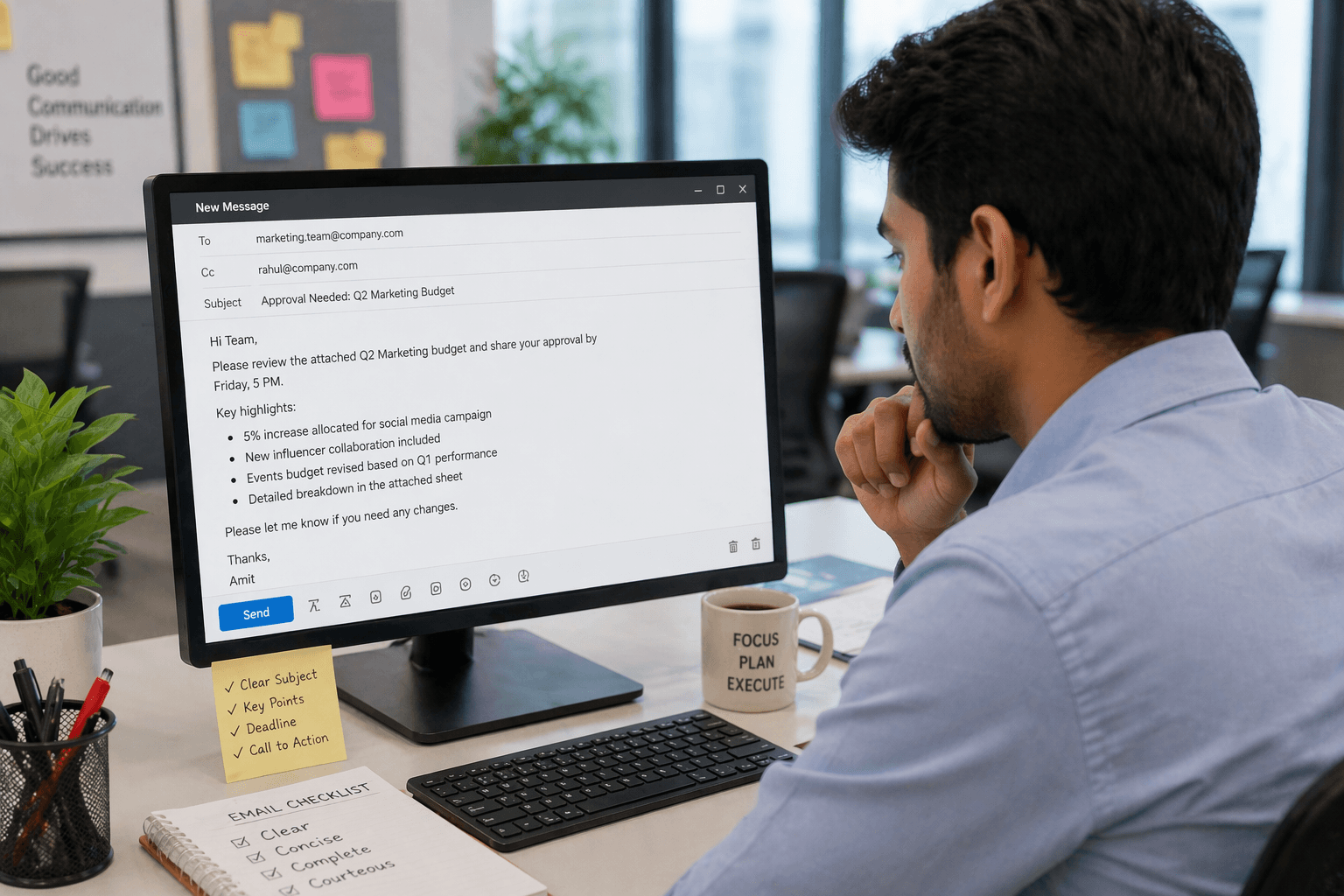
Example 1: Approval Request
Subject: Approval Needed: Marketing Budget
Hi Team,
Please approve the attached Q2 marketing budget by Wednesday, 5 PM. It includes a 5% increase for the social media campaign.
Thanks,
Amit
Why it works:
It clearly states the request, deadline, and reason in two lines.
Example 2: Project Update
Subject: Website Redesign Progress Update
Hello Team,
The homepage redesign is complete. Testing begins Friday. Final launch is planned next Tuesday.
Regards,
Neha
Why it works:
It gives progress, next step, and timeline quickly.
Example 3: Meeting Confirmation
Subject: Meeting Confirmed for 10 AM Tomorrow
Hi Priya,
Confirming our discussion tomorrow at 10 AM in Meeting Room B.
Thank you,
Riya
Why it works:
Short, clear, and removes any confusion.
Example 4: Quick Follow-Up
Subject: Follow-Up on Proposal Review
Hi Rahul,
Just following up on the proposal shared Monday. Please let me know if any changes are required.
Thanks,
Karan
Why it works:
Professional reminder without sounding pushy.
Need expert feedback on your communication style?
Book a live PlanetSpark demo class now before this week’s slots close.
Common Concise Email Writing Mistakes to Avoid
Writing Long Openings
Readers prefer direct communication. Avoid long greetings before stating your purpose.
Vague Subject Lines
Subject lines like “Update” do not explain anything. Use specific lines instead.
Too Much Background
Only include details needed for action or understanding.
Missing Call to Action
Always mention what you need next.
Example:
Please approve by 2 PM.
Large Text Blocks
Long paragraphs reduce readability. Use spacing and bullets.
Overly Harsh Tone
Being brief should not sound rude.
Use:
Please review today. Thank you.
Not:
Review today.
Forgetting Proofreading
Even short emails need a final check for grammar and accuracy.
Writing Brief Updates Professionally
Updates are common in workplaces and should be easy to scan.
Use this 4-step format:
- Current progress
- Pending task
- Next step
- Deadline
Example:
Hi Team,
Campaign setup is complete. Design approval is pending. Testing begins tomorrow. Launch is scheduled Monday.
Thanks.
Why This Works
It gives leadership or teammates exactly what they need without extra explanation.
Best Use Cases
- Project updates
- Team status reports
- Client progress notes
- Leadership summaries
- Vendor coordination
Daily Practice Exercises to Improve Fast
Writing improves with regular practice.
10-Minute Daily Routine
- Rewrite one old long email in half the words
- Improve one subject line daily
- Practice one request email
- Remove fillers from yesterday’s emails
- Save good templates
Weekly Practice
- Ask manager for feedback
- Track response rate improvements
- Review tone and clarity
- Improve grammar consistency
These habits gradually make your writing faster and stronger.
Want sharper writing, stronger speaking, and more confidence at work?
Book your PlanetSpark trial class now before available batches fill out.
How Concise Email Writing Supports Career Growth
Strong emails do more than communicate. They shape how others see you professionally.
Professionals known for clear communication are often seen as:
- Reliable – They provide clear updates and meet expectations.
- Organized – Their messages are structured and easy to follow.
- Leadership-ready – Leaders communicate clearly and confidently.
- Client-friendly – Clients appreciate simple, direct updates.
- Efficient – They save time for everyone.
- Solution-oriented – They focus on action, not confusion.
Managers value people who reduce delays and communicate well.
When your emails are clear and concise, your professional reputation grows quietly with every message you send.
PlanetSpark Creative Writing Classes
PlanetSpark Creative Writing and Communication programs are designed to help learners build clarity, confidence, structure, vocabulary, and impactful written communication skills. While PlanetSpark is widely trusted for communication training, public speaking, creative writing, and personality development, these skills are highly valuable for working professionals who want to improve professional emails, reports, presentations, and workplace communication.
Why structured learning matters:
Most professionals learn email writing through trial and error. This creates habits like unclear tone, weak structure, or lengthy writing. Expert guidance helps learners communicate faster and more effectively.
What Learners Gain
- Live interactive classes with expert trainers
- Personalized feedback on writing style and clarity
- Confidence-building communication framework
- Structured modules for grammar, tone, and business writing basics
- Real-world speaking and writing practice
- Better vocabulary and professional expression
- Habit-building through guided assignments
Why PlanetSpark Stands Out
- Focus on communication outcomes
- Engaging live sessions
- Practical learning model
- Personal mentorship support
- Measurable improvement systems

Conclusion
Every email you send builds your professional image. Clear, concise, and courteous communication saves time, earns trust, and improves workplace influence. The professionals who grow fastest are often those who communicate best.
Start today. Write shorter subject lines, clearer requests, and smarter updates. With consistent practice and expert guidance, your emails can become a tool for long-term career success.
Also Read: Email Writing Format: Learn clear and effective emails with PlanetSpark
A Complete Guide to Effective Written Communication Skills
A Step-by-Step Guide to Taking an Email Writing Development Course for Class 7
Frequently Asked Questions
Concise email writing means sharing your message clearly using fewer words while keeping tone professional and complete.
It saves time, improves reply rates, reduces confusion, and helps professionals build credibility at work.
Routine emails are often best between 50 to 150 words depending on purpose.
Remove fillers, keep one topic per email, use bullet points, and state your purpose early.
Not if you use polite greetings, clear requests, and respectful closing lines like thank you or kindly confirm.
Practice daily, review strong templates, improve grammar, and get expert feedback on clarity and tone.
Yes. Strong communication builds trust, leadership presence, and reliability.
PlanetSpark helps learners improve communication confidence, writing clarity, speaking skills, and professional expression through live expert-led classes.
With regular practice and coaching, many learners notice improvement within a few weeks.
Yes. Trial sessions help you understand your communication gaps and improvement roadmap.
Personalized Communication Roadmaps
Record a video to get a AI generated personalized communication reports