
How to Build a PKM Dashboard: Template for Professionals

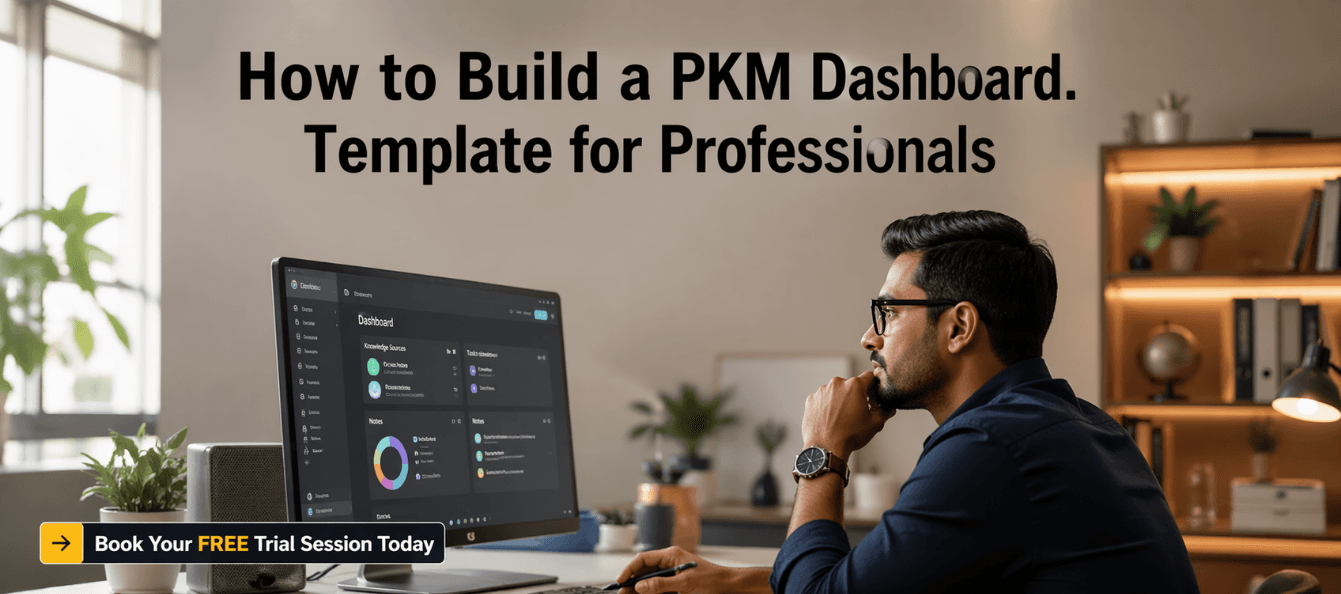
Build a Powerful Knowledge Command Centre for Career Growth
Every working professional today faces the same invisible challenge: information overload without clarity. You save articles, attend meetings, take notes, and collect insights — but when you actually need that knowledge, it’s scattered, buried, or forgotten.
This isn’t a discipline issue. It’s a system issue.
Without a structured way to capture, organise, and revisit what you learn, knowledge doesn’t compound. It disappears. And when knowledge disappears, so do opportunities — better decisions, stronger communication, faster problem-solving, and career growth.
This is where a Personal Knowledge Management dashboard becomes a game-changer.
A PKM dashboard is not just another productivity tool. It is your command centre — a system designed to manage everything you learn, think, and work on. It ensures that information flows smoothly from capture to action, turning raw input into real professional output.
In this blog, based on a practical dashboard framework, you will learn how to design a powerful PKM dashboard that reduces cognitive overload, improves clarity, and accelerates your career growth.
Download these resources and apply them alongside your daily work for improved clarity, productivity, and professional growth. You can also book a free trial to gain expert guidance and enhance your communication, problem-solving, and decision-making skills. The materials are designed in a clear, structured format to help professionals learn efficiently and implement insights with confidence.
Who Is This Blog For
- Professionals overwhelmed by scattered information and tools
- Managers handling multiple projects and knowledge streams
- Consultants who need fast access to insights and frameworks
- Career switchers building new expertise quickly
- Anyone who wants a structured “second brain” system
Why This Topic Matters Today
We live in a knowledge-heavy economy where your ability to manage information directly impacts your performance.
Common challenges professionals face include:
- Notes spread across multiple apps
- Insights forgotten within days
- No structured review process
- Difficulty connecting ideas
- Repeated effort due to lack of retrieval
This creates what experts call cognitive debt — the hidden cost of re-learning, re-finding, and re-thinking what you already knew.
A PKM dashboard eliminates this by creating a centralised system that captures, processes, and surfaces knowledge when needed.
Core Concept or Framework Explained
A powerful PKM dashboard operates on four core functions:
- Capture
- Process
- Organise
- Review
These functions ensure that knowledge is not just stored but actively used.
The dashboard is built using a four-zone architecture:
- Inbox: Raw, unprocessed inputs
- Projects: Active work and deliverables
- Resources: Long-term knowledge
- Archives: Completed or inactive items
This structure ensures clarity, focus, and scalability.
How This Blog and Guidebook Help You
By building a PKM dashboard, you will:
- Reduce mental clutter and cognitive load
- Access important insights instantly
- Improve decision-making and problem-solving
- Create a single source of truth for your knowledge
- Turn information into actionable output
- Build a system that grows with your career
This transforms your workflow from reactive to strategic.
Step-by-Step Breakdown
Step 1: Design Your Dashboard Architecture
Before using any tool, define your structure.
Your dashboard should include:
- A single capture inbox
- Clearly defined zones
- A linking system for ideas
- A weekly review schedule
This prevents chaos and ensures long-term usability.
Step 2: Set Up the Four-Zone System
Organise your dashboard into:
- Inbox: All incoming information
- Projects: Active work with clear outcomes
- Resources: Evergreen knowledge and frameworks
- Archives: Completed work
Start simple — avoid over-creating folders.
Step 3: Build a Quick Capture System
Your capture system must be fast and frictionless.
Use a simple template:
- Source
- Summary
- So what
- Next step
Each capture should take under 30 seconds.
Step 4: Implement the 24-Hour Processing Rule
Nothing should stay in your inbox for too long.
During your weekly review:
- Process each item
- Move it to the appropriate zone
- Delete irrelevant information
- Add tags and context
An overloaded inbox leads to stress and inefficiency.
Step 5: Create Project and Resource Templates
Templates ensure consistency and reduce effort.
Project template includes:
- Project details and goals
- Key stakeholders
- Knowledge log
- Lessons learned
Resource template includes:
- Core idea summary
- Source and context
- Use cases
- Linked notes
These templates turn notes into actionable assets.
Step 6: Activate Weekly Review System
Weekly review is the backbone of your dashboard.
It includes:
- Reviewing new notes
- Connecting ideas
- Identifying patterns
- Planning next actions
This keeps your system alive and valuable.
Step 7: Connect and Link Knowledge
The real power of a PKM system lies in connections.
Each note should link to:
- Related ideas
- Projects
- Previous insights
This creates a network of knowledge instead of isolated notes.
Step 8: Keep Your System Minimal and Scalable
Avoid complexity.
Start with:
- Four zones
- Basic templates
- Simple tagging
Let your system evolve naturally over time.
Common Mistakes or Pitfalls to Avoid
- Creating too many folders at the start
- Capturing everything without filtering
- Ignoring weekly review
- Not linking related ideas
- Overcomplicating the system
The biggest mistake is building a system you don’t use consistently.
How Should You Use This Guidebook Effectively
To get the best results:
- Read once for understanding
- Build your dashboard within a week
- Use daily capture habits
- Run weekly reviews consistently
- Continuously refine your system
Your dashboard should adapt to your workflow, not the other way around.
Key Takeaways
- A PKM dashboard is your knowledge command centre
- Structure reduces cognitive overload
- Capture, process, organise, and review are essential
- The four-zone system keeps everything clear and usable
- Weekly review ensures continuous improvement
- Simplicity and consistency drive long-term success
Your Next Step Accelerate Your Career with PlanetSpark
Creating an impact-driven resume is not just about landing your next job—it’s about owning your professional story and presenting it with clarity, confidence, and credibility. When your resume clearly communicates value, results, and impact, opportunities follow naturally.
At PlanetSpark, we are committed to empowering working professionals with practical, outcome-focused resources that drive real career growth. From resume building and workplace communication to leadership presence and professional writing, our programs are designed to help you succeed in today’s fast-evolving job market.
Visit https://www.planetspark.in/resources to explore:
- Career and resume-building guides
- Workplace communication and professional writing resources
- Skill-development tools curated for working professionals
Want a deeper, hands-on experience?
You can also book a free trial session to learn more about PlanetSpark’s Working Professional Courses, designed to accelerate your career through personalised coaching, real-world practice, and expert guidance.
Your career deserves more than generic advice.
It deserves clarity, confidence, and measurable impact.
Personalized Communication Roadmaps
Record a video to get a AI generated personalized communication reports